Designing UX for a Complex Enterprise Data Platform
Role: Senior UX/UI Designer
Company: Burwood Group
Industry: Enterprise Data & Analytics
Company: Burwood Group
Industry: Enterprise Data & Analytics
Note: Due to NDA restrictions, visual elements and data have been generalized. This case study focuses on design process and problem-solving approach.
Business Case
Enterprise cloud application designed to aggregate and manage large-scale operational data pulled from historical archives as well as annual submissions from multiple educational, research, and governmental organizations. Purpose was to create a central tool for administrators to manage access, monitor system usage, and perform maintenance on the services and users—A secure, dynamic framework that allowed personnel to define and configure new services for specific use cases, ensuring flexibility in scaling and adaptation.
The Problem
Existing workflows were primarily manual or non-existent, fragmented across multiple repositories, platforms, and tools, and difficult to use for all user types. There was no centralized means of tracking submissions, requests, or outputs, making it inefficient to manage, compile, and analyze large datasets.
My Role
Senior UX/UI Designer responsible for user research, workflow analysis, process mapping, wireframes, prototypes, interface design, and stakeholder presentations.
Context
The initial research phase kicked off after the business and technical requirements documents were solidified by the executive team. These documents provided the foundational framework for developing visual documents that would give the development team a comprehensive view of the entire project.
Business and technical documents, however, only tell part of the story. The real challenge was interpreting the client's expectations. Their existing process was almost entirely manual — cobbled together from a half-dozen apps, platforms, and thousands of lines of custom JavaScript. To fully understand their workflow, we organized roughly twenty hours of video calls walking through their entire process, addressing technical challenges, aligning on expectations, and keeping goals in sync throughout the course of the project.
Sample Artifacts
The following image sets include samples from the feature requirements discovery, site maps, process flows, low-fidelity wireframes, and high-fidelity wireframes. Dozens of documents were created and revised throughout the development process to address technical challenges, refactoring, and other changes.
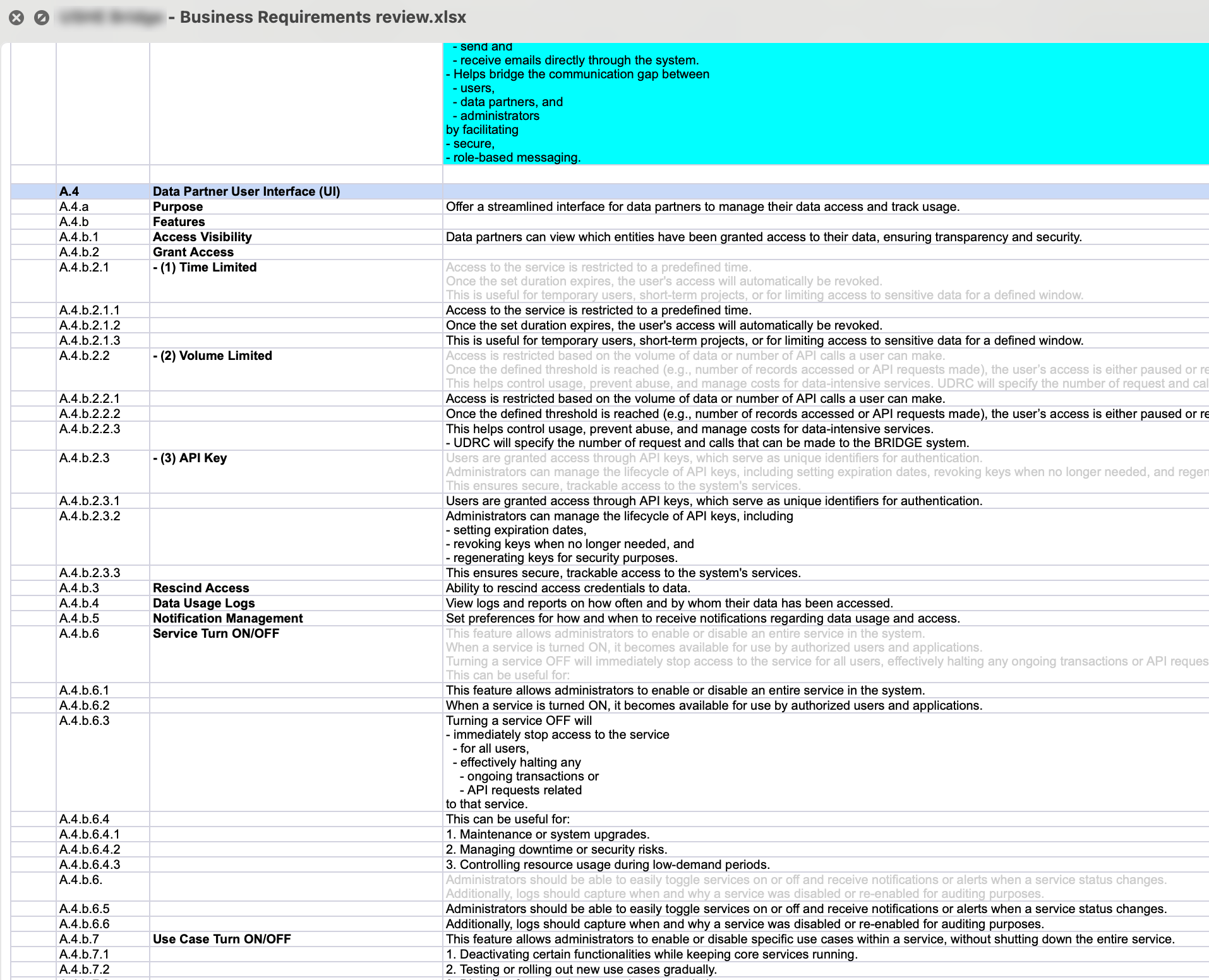
Business requirements spreadsheet
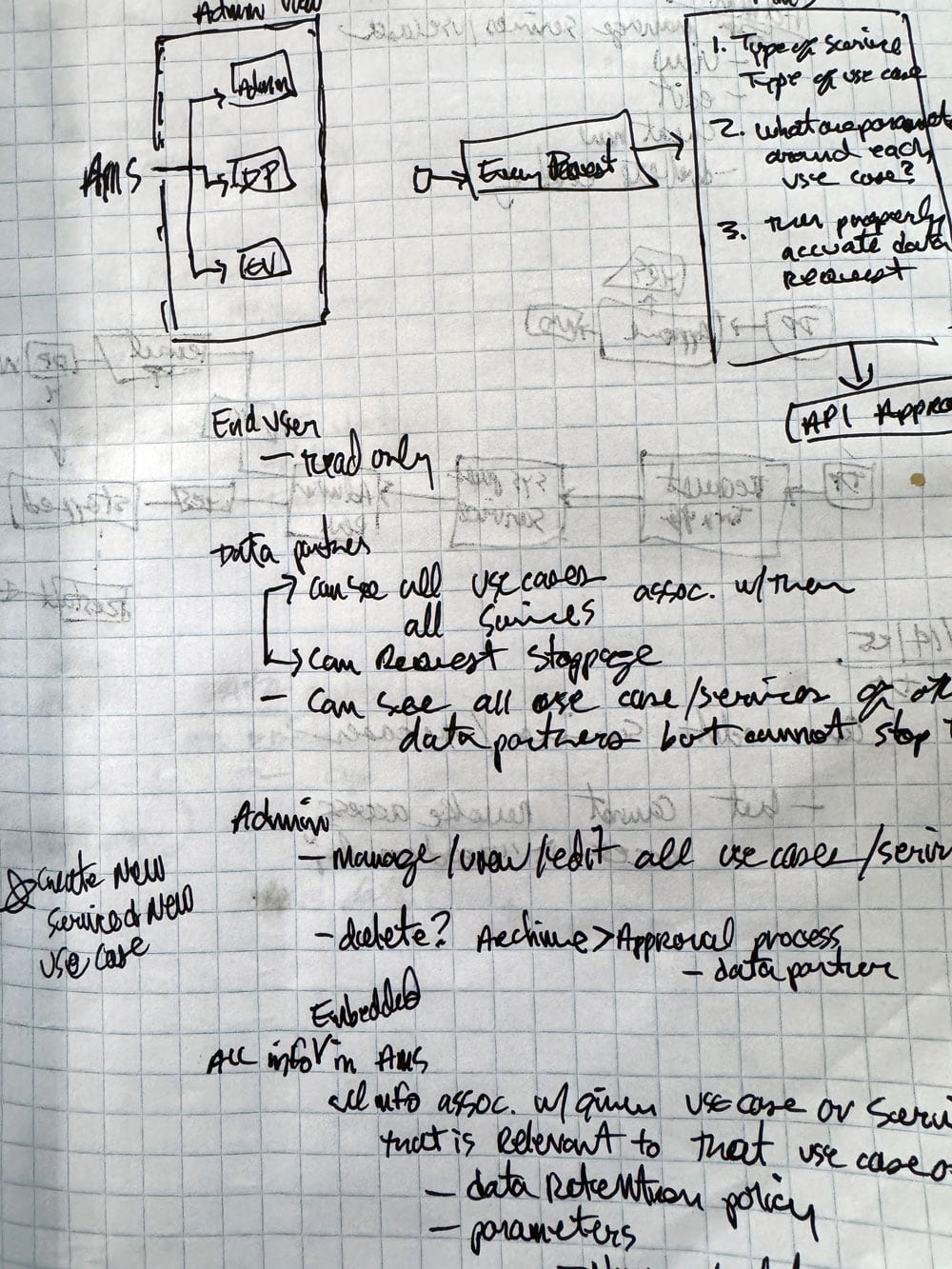
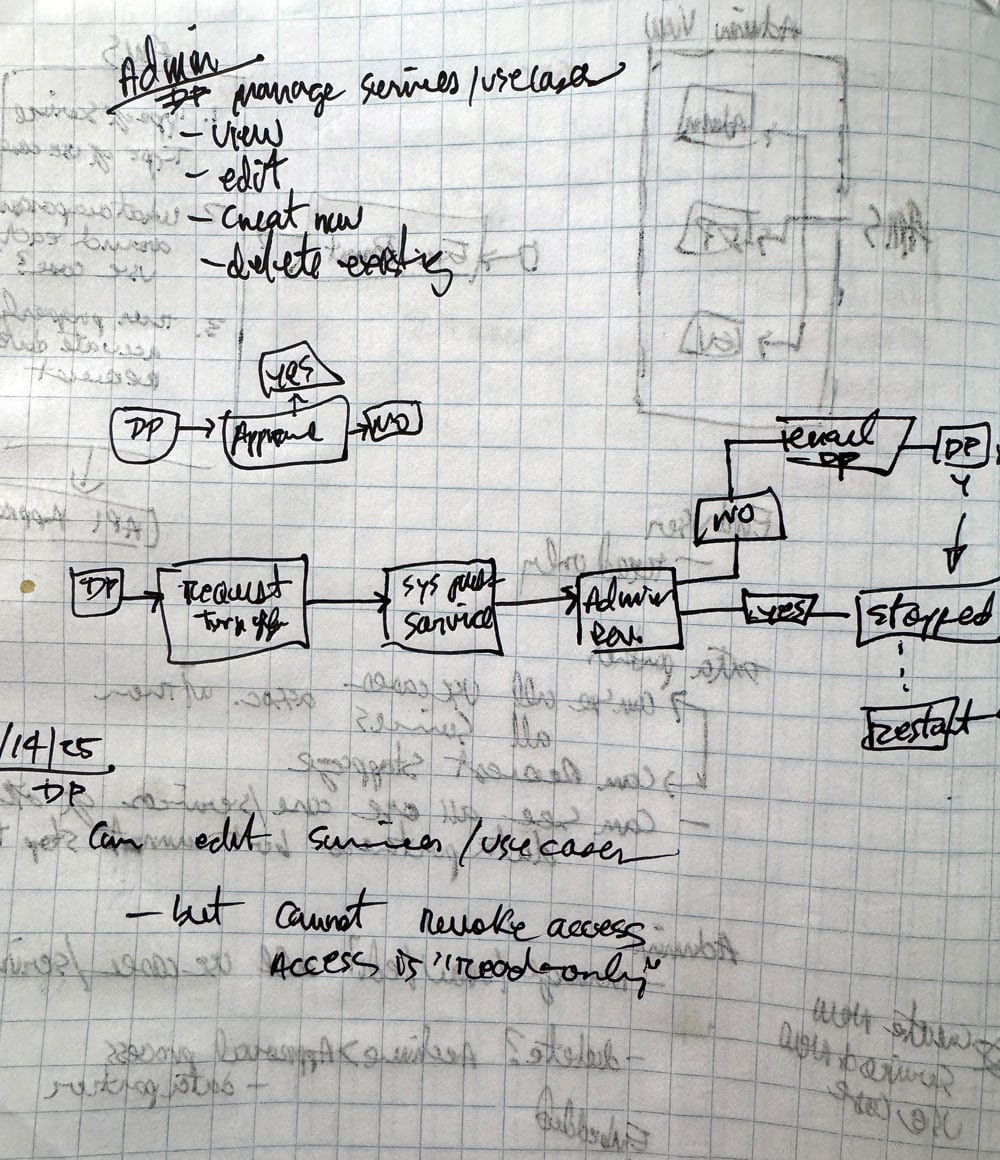
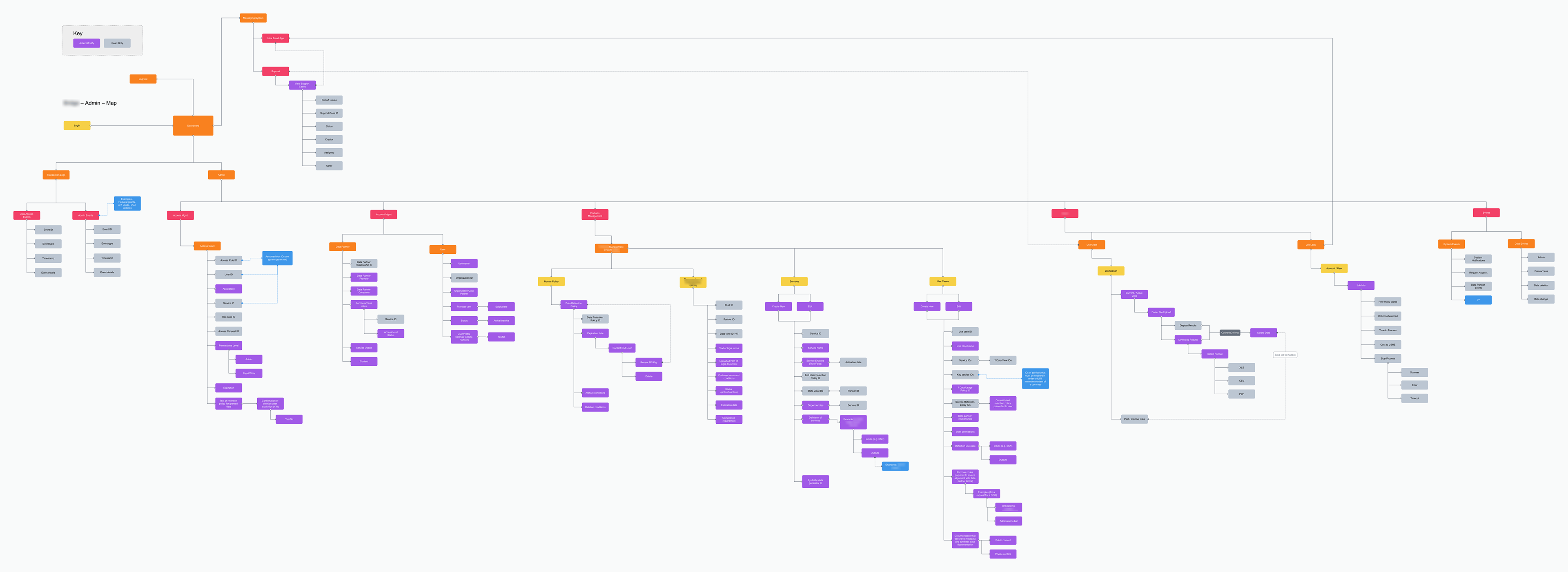
Site map describing administrator privileges
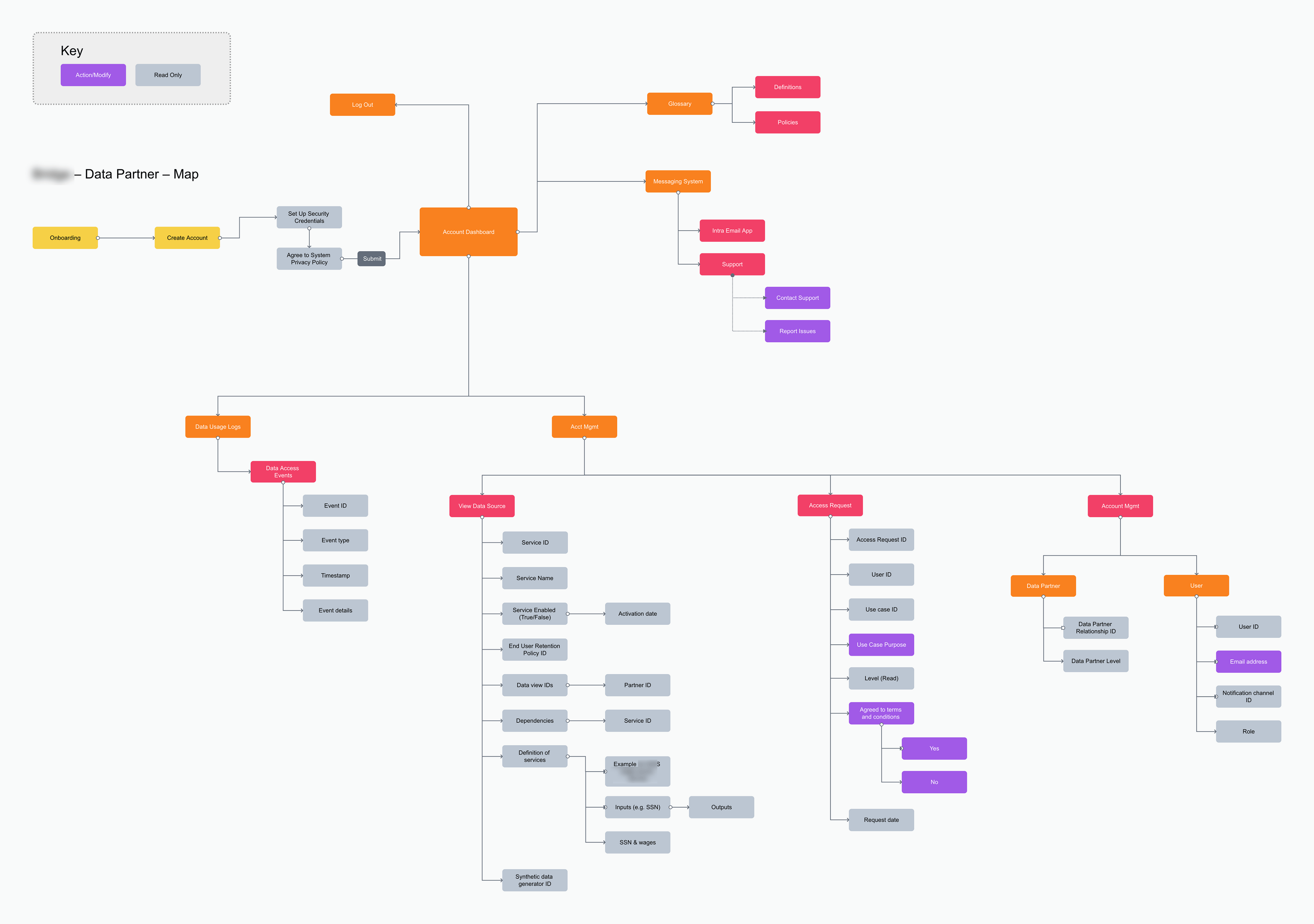
Site map describing data partner privileges
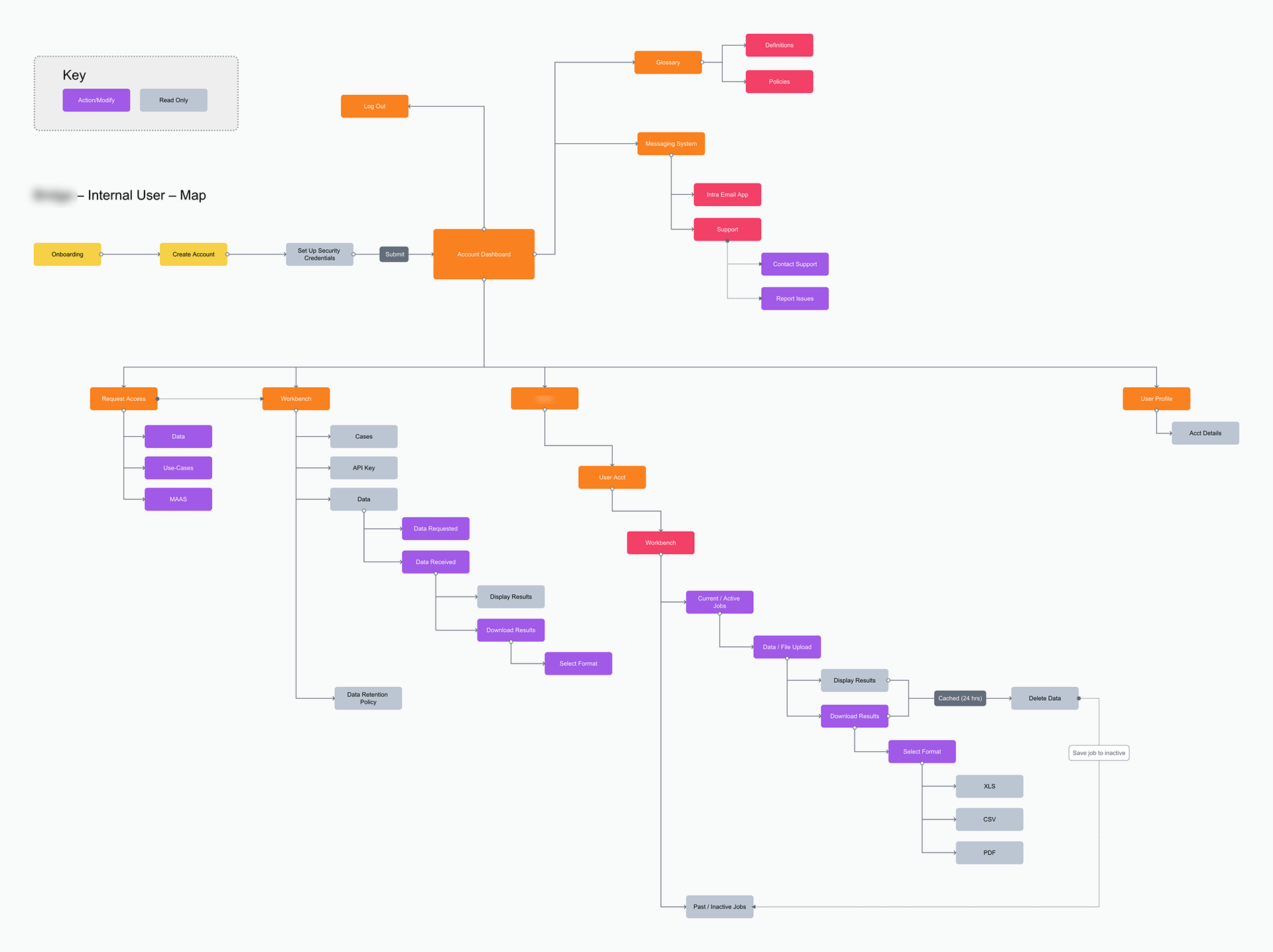
Site map describing user privileges
Above: Discovery / Site maps.
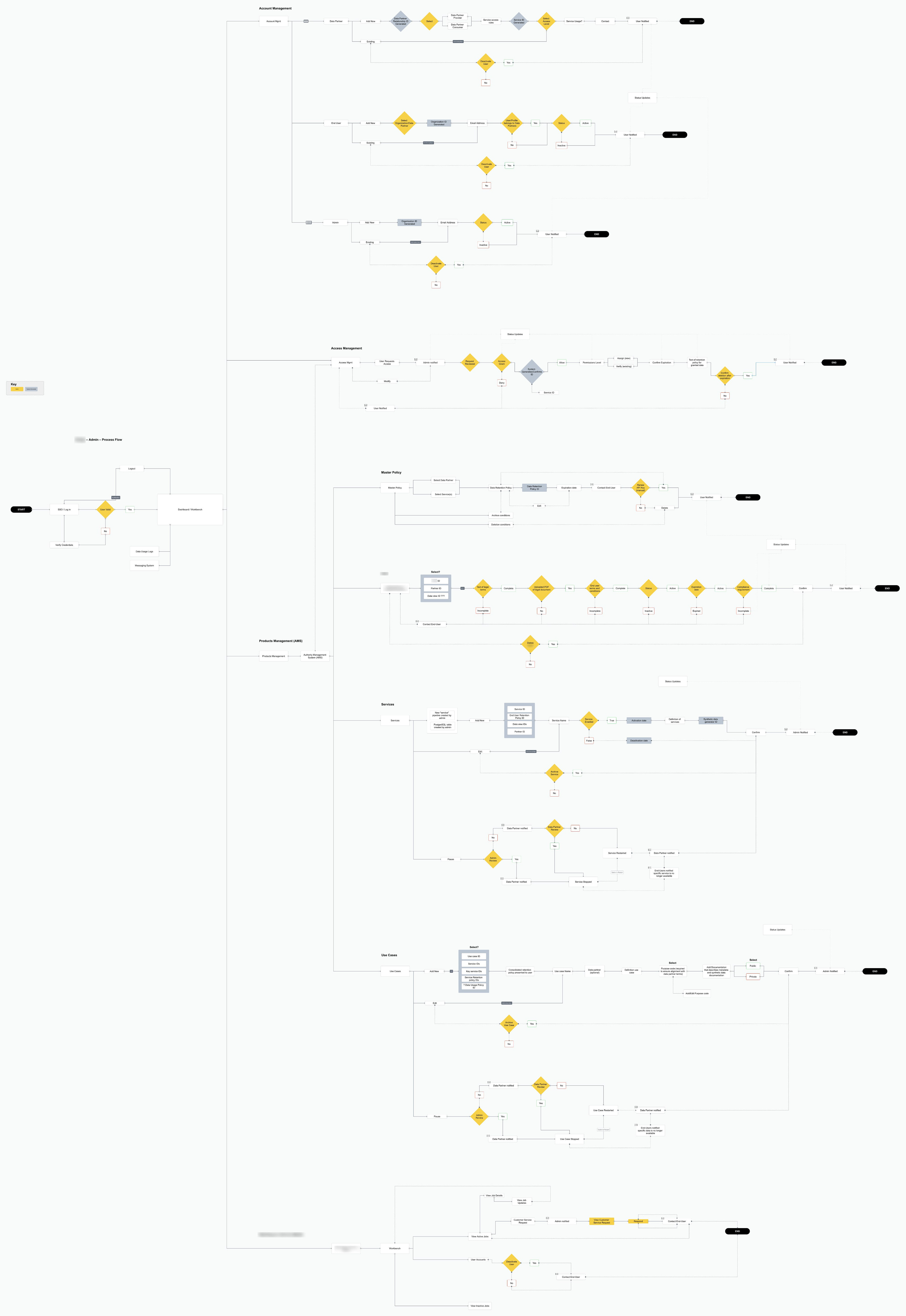
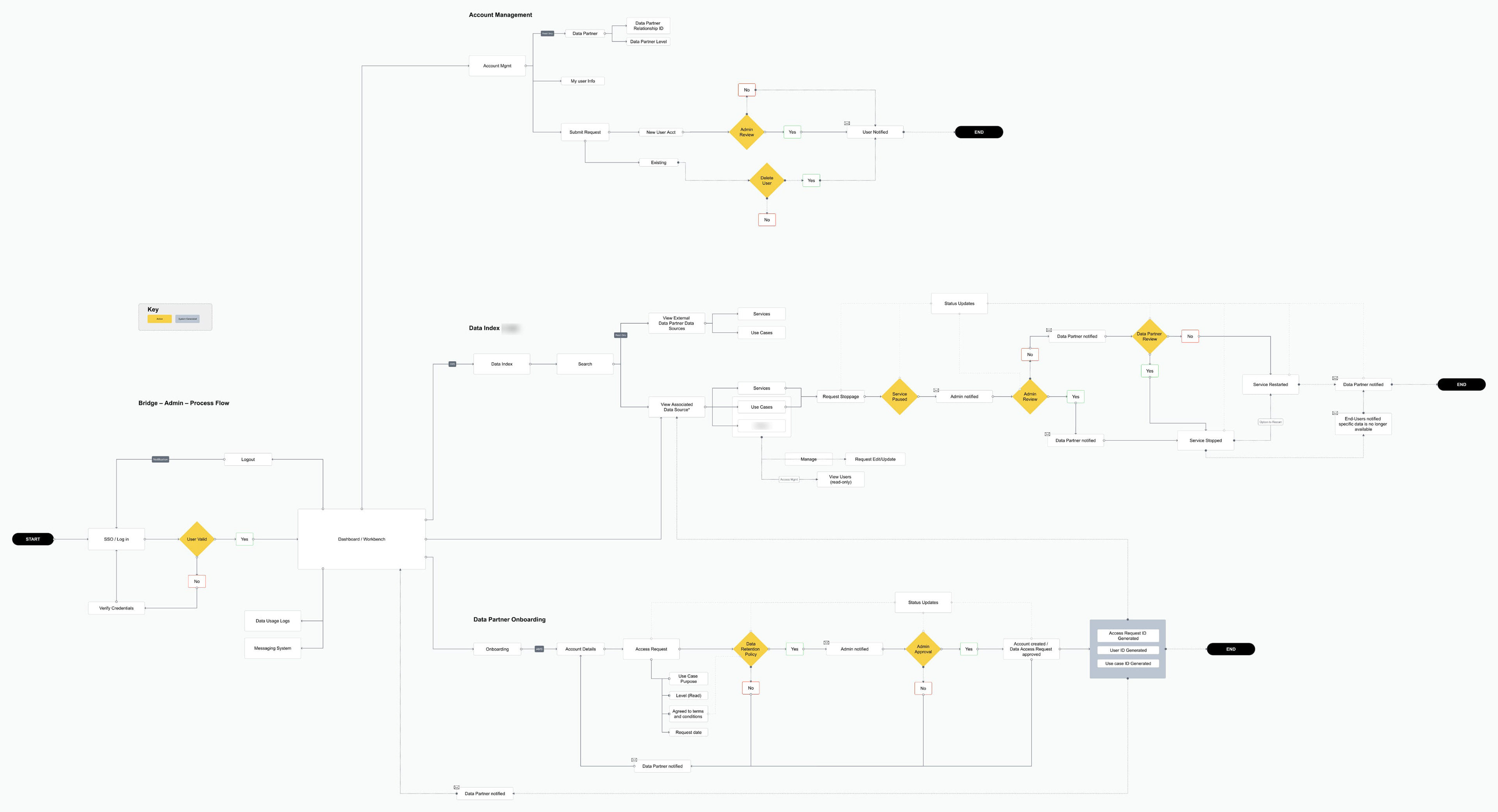
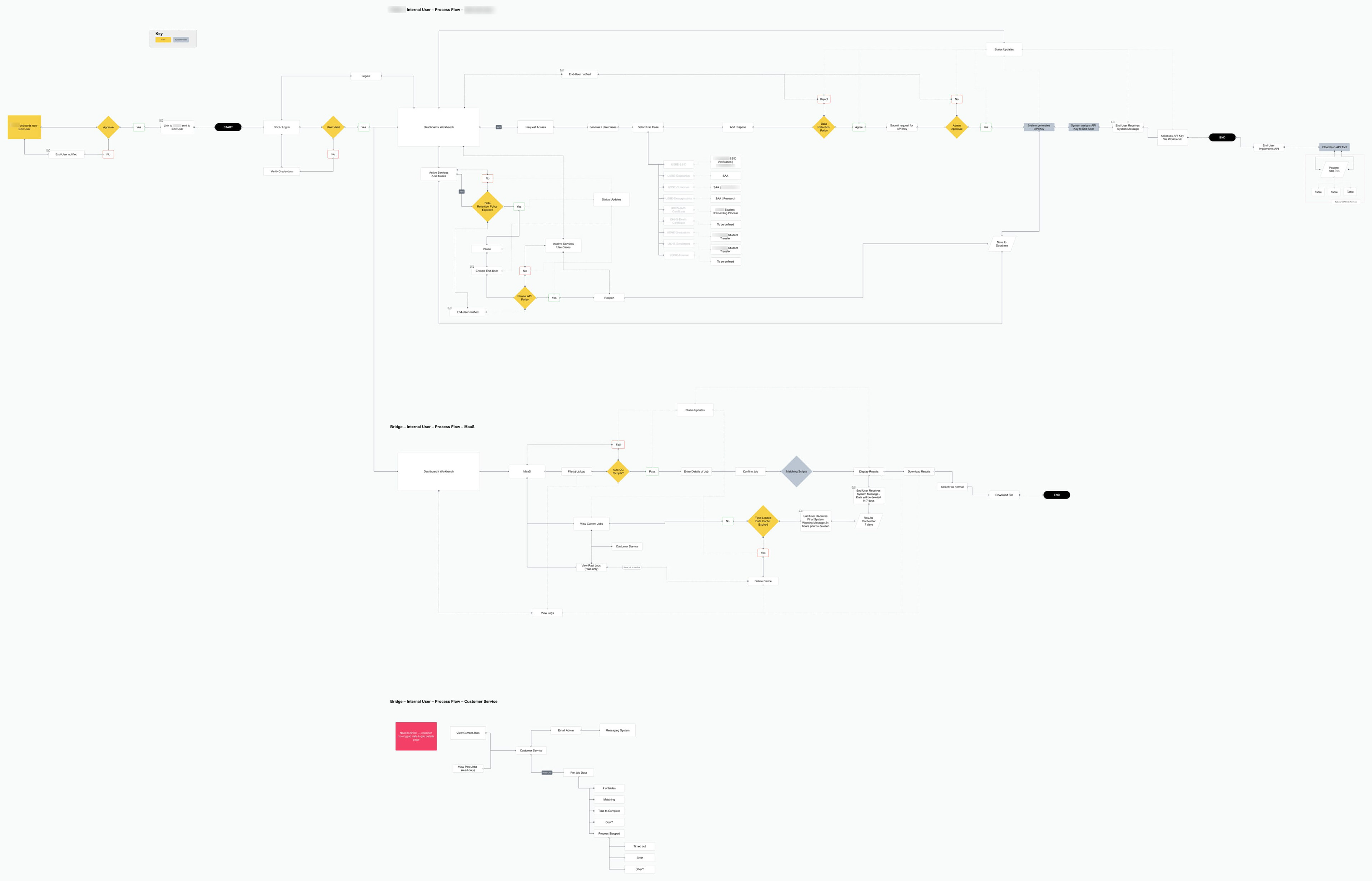
Above: Process flows.
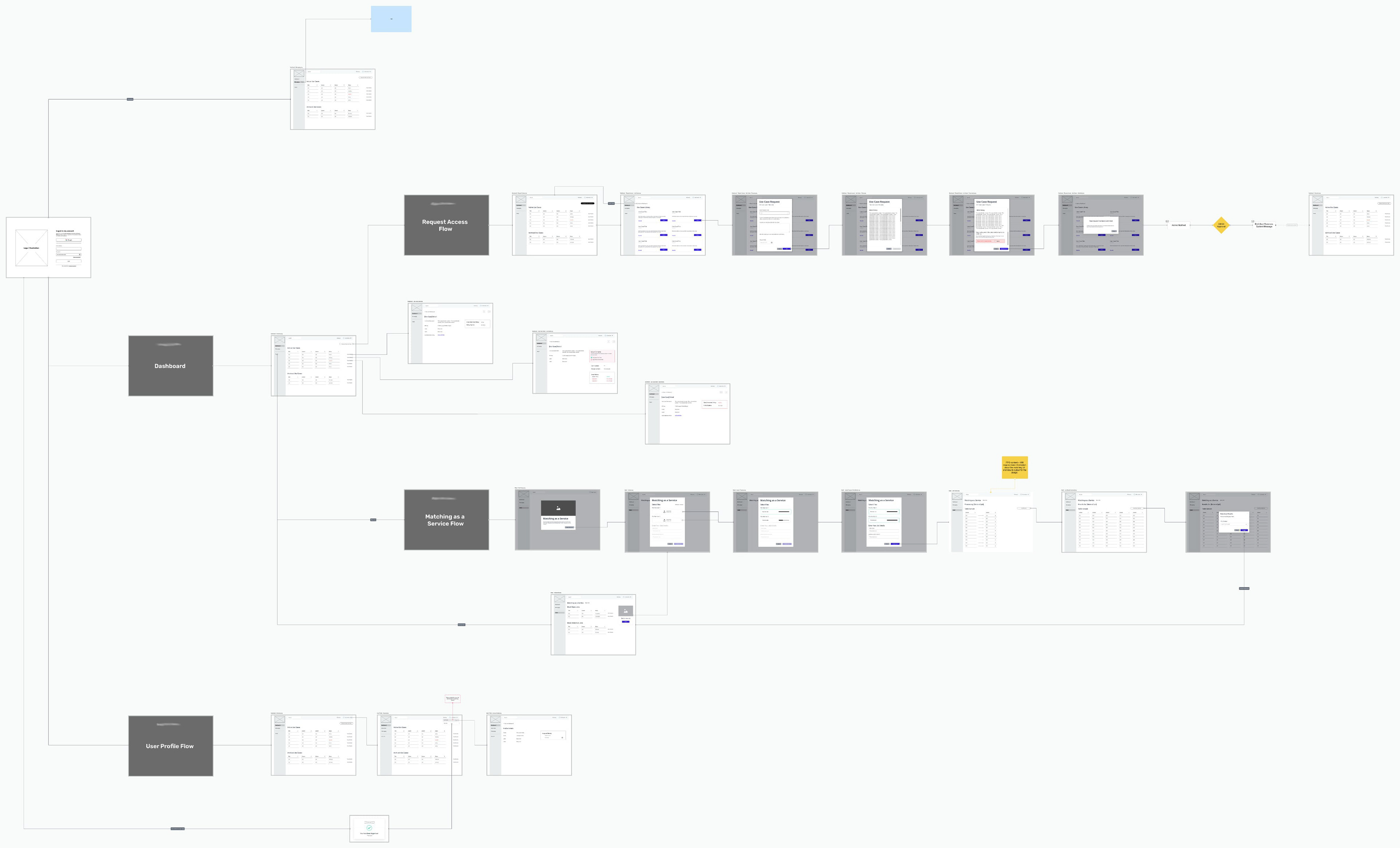
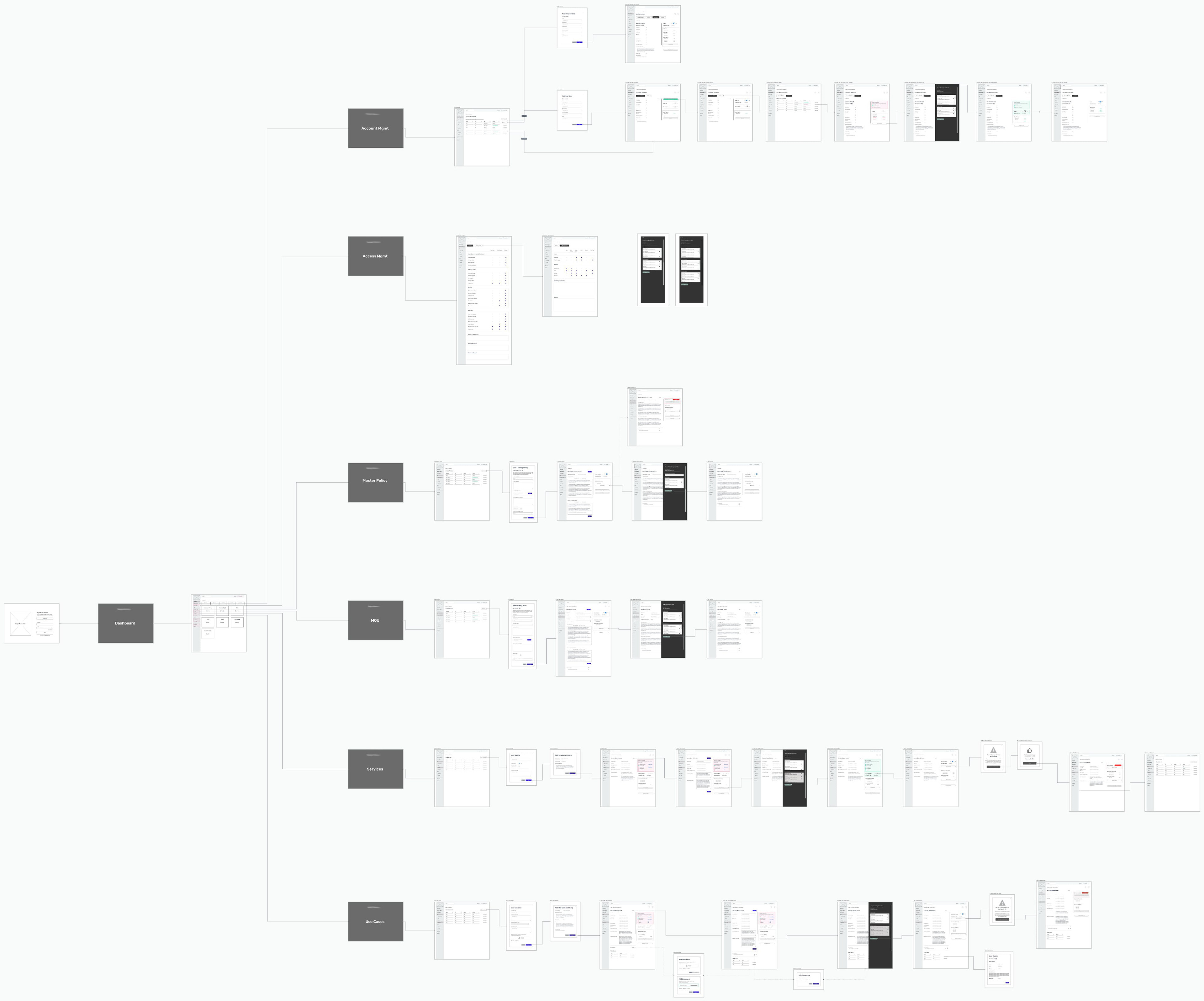
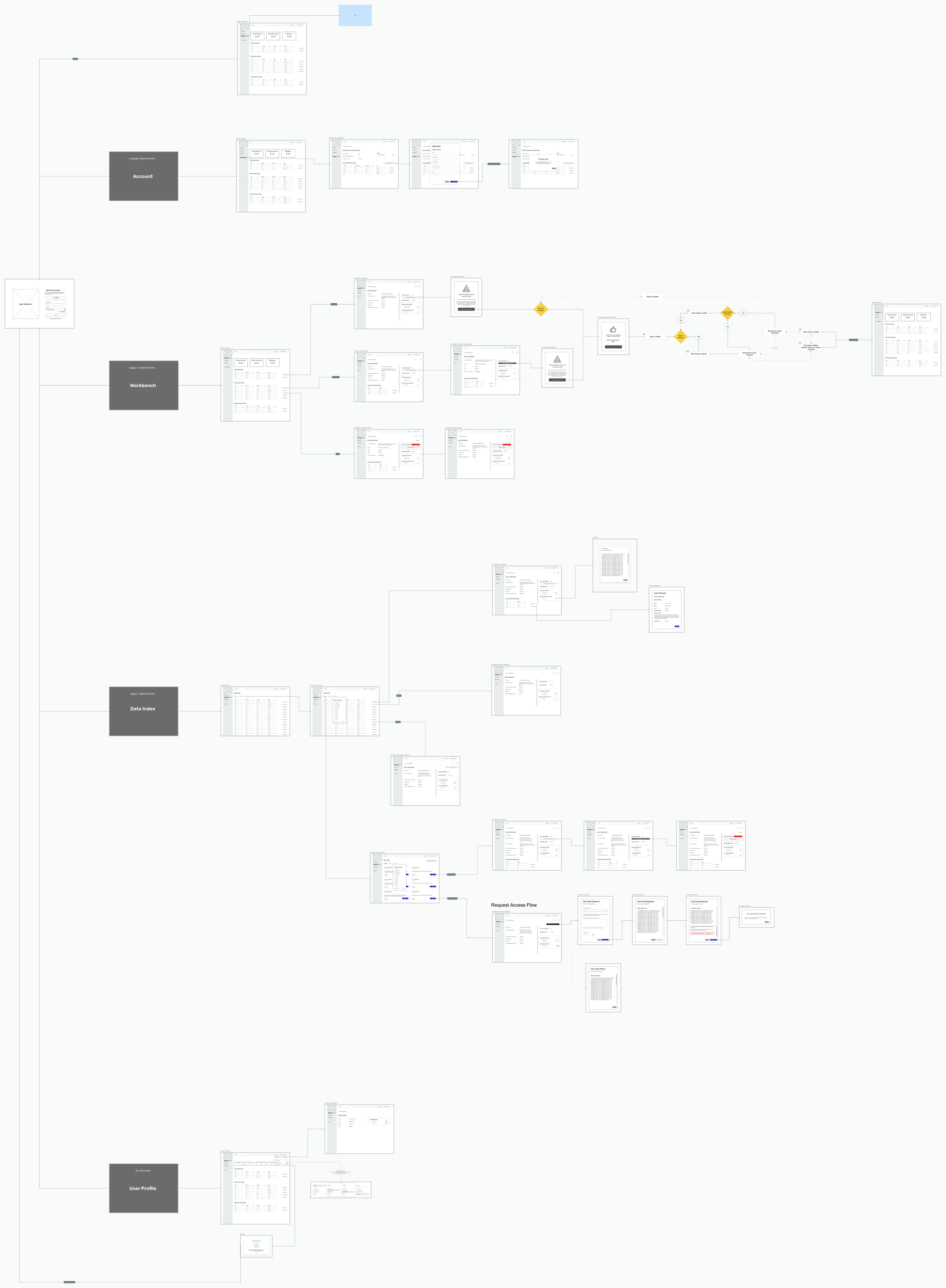
Above: Low fidelity wireframes.
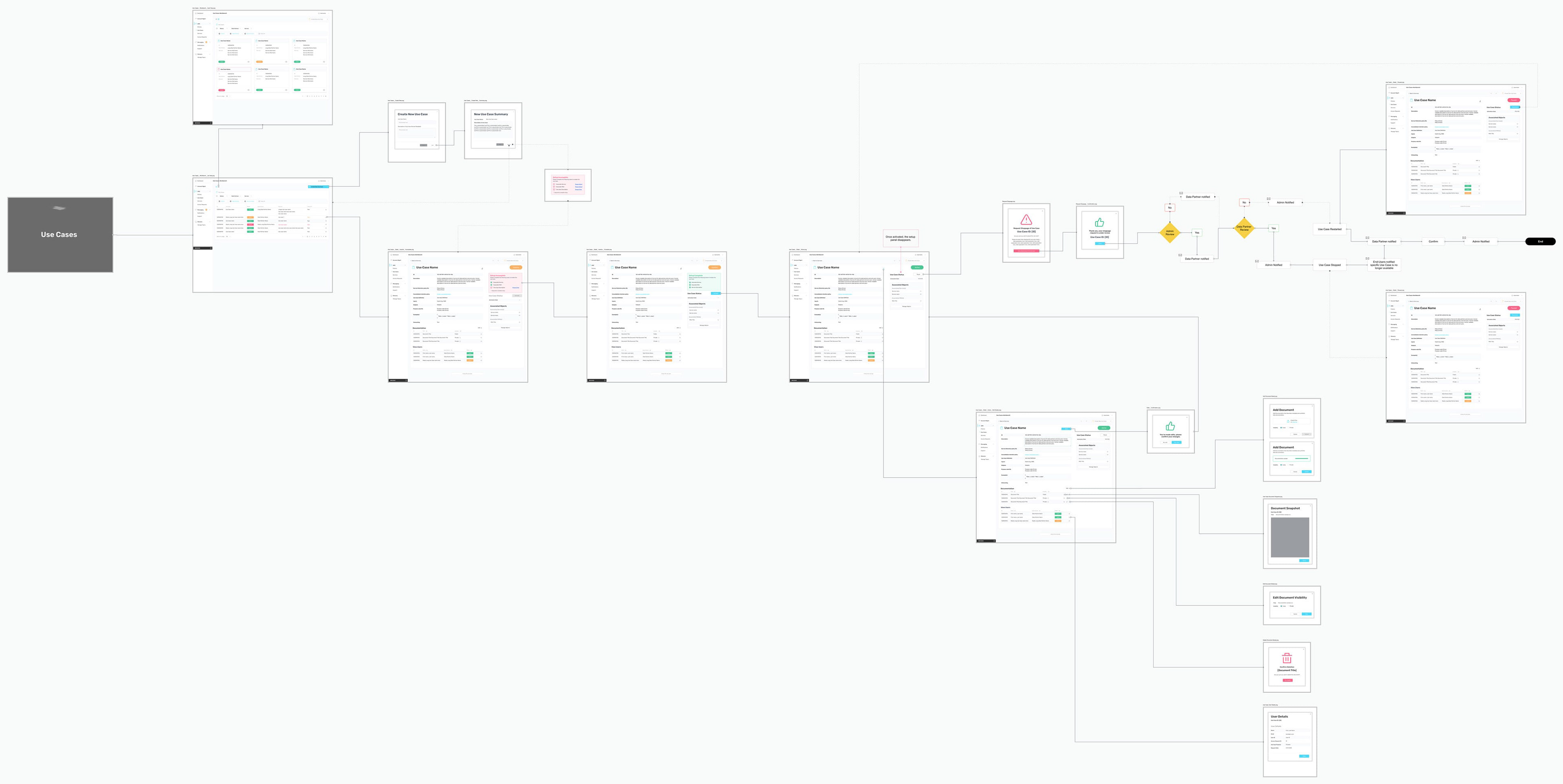
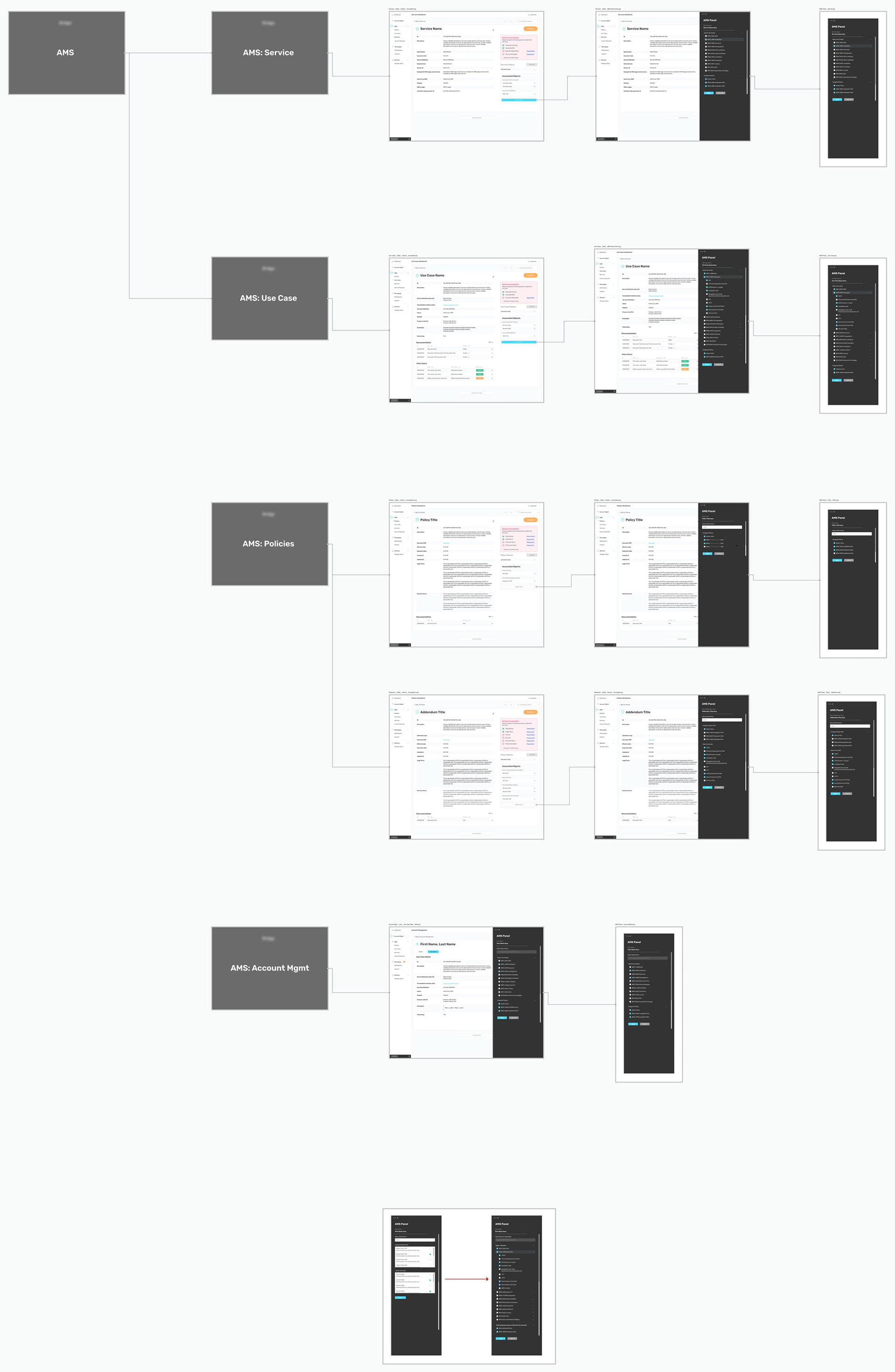
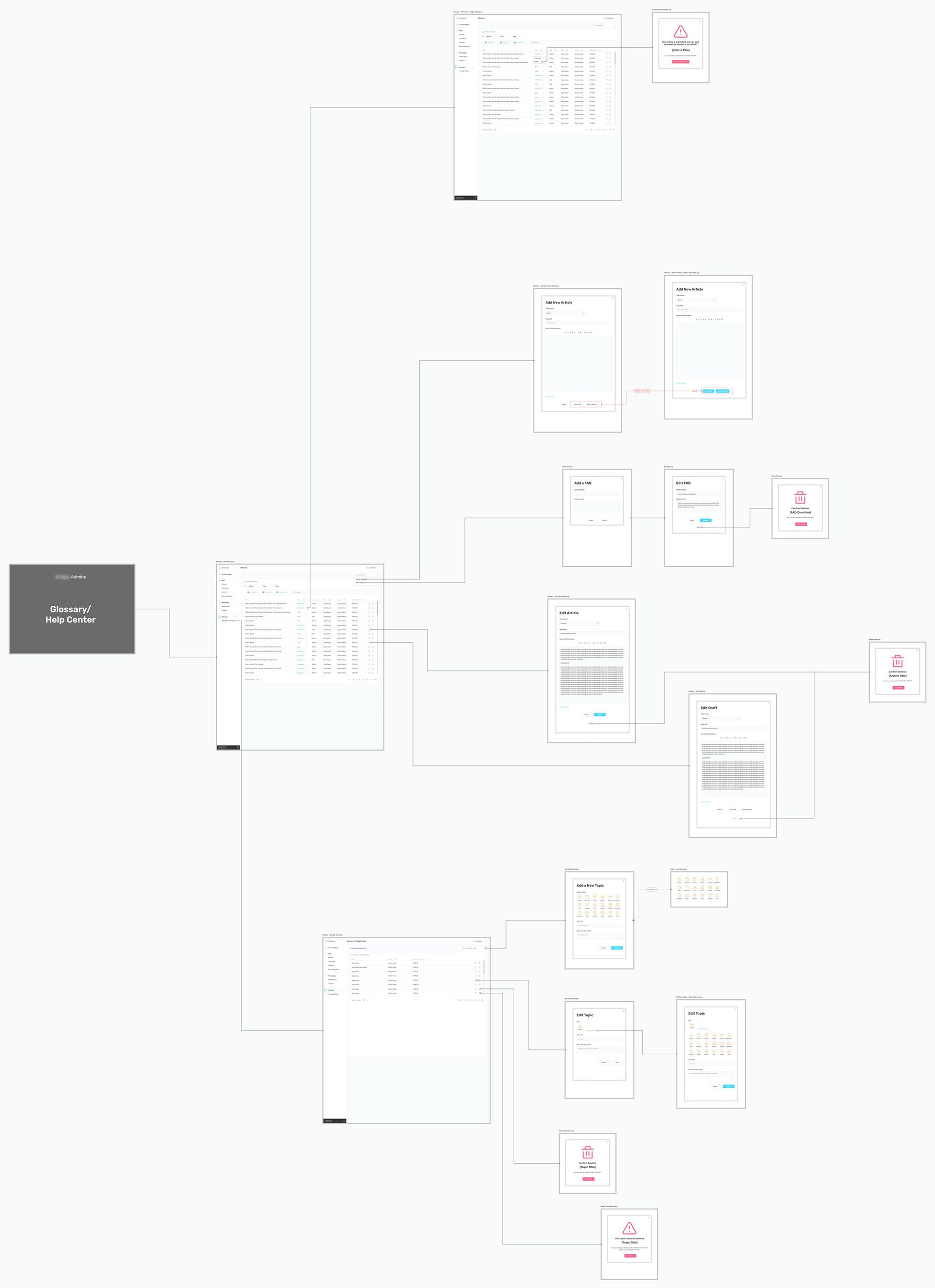
Above: High fidelity wireframes.
Solutions Example
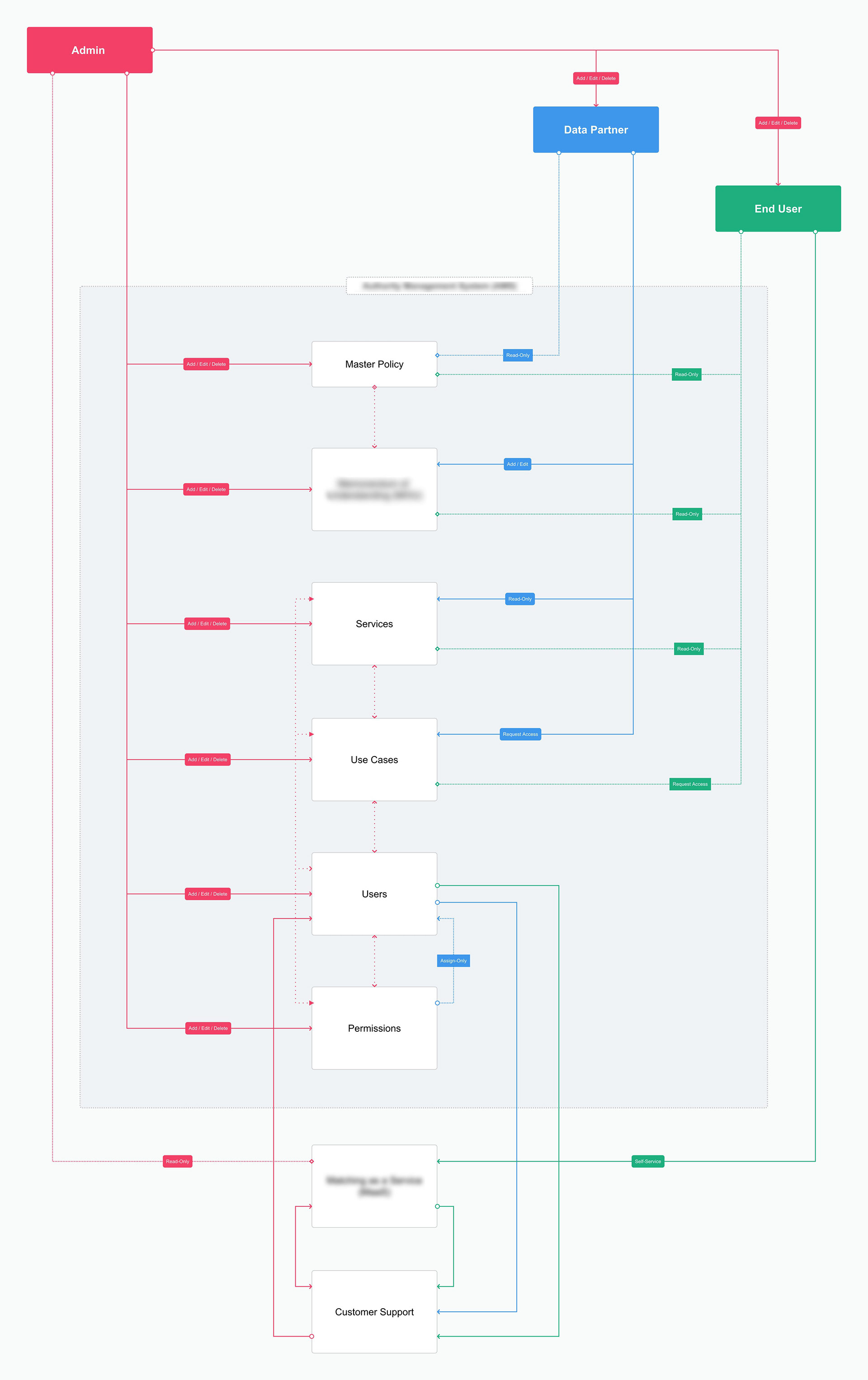
The overriding challenge was that every part of this system needed to be admin-configurable, with granular permissions per user group. This required a solution that could intuitively manage system objects while allowing admins to create and connect independent objects before assembling them into a combined "package" accessible to end users.
There were three primary objects — Policies, Services, and Use Cases — and two secondary objects: users and data partners. A single object could be associated with multiple others to create multiple independent products (services).
Problem 1: Admins needed the ability to create multiple objects in order to assemble a product (service.)
Problem 2: Objects should remain hidden from end users until fully configured.
Problem 3: The system needed to track and display the completion status of each object in a dashboard.
Problem 4: The visual display of an object's parameters and associations needed to be organized and simplified, where Object + Associations = Product (Service).
Problem 5: User permissions would control object visibility per user group.
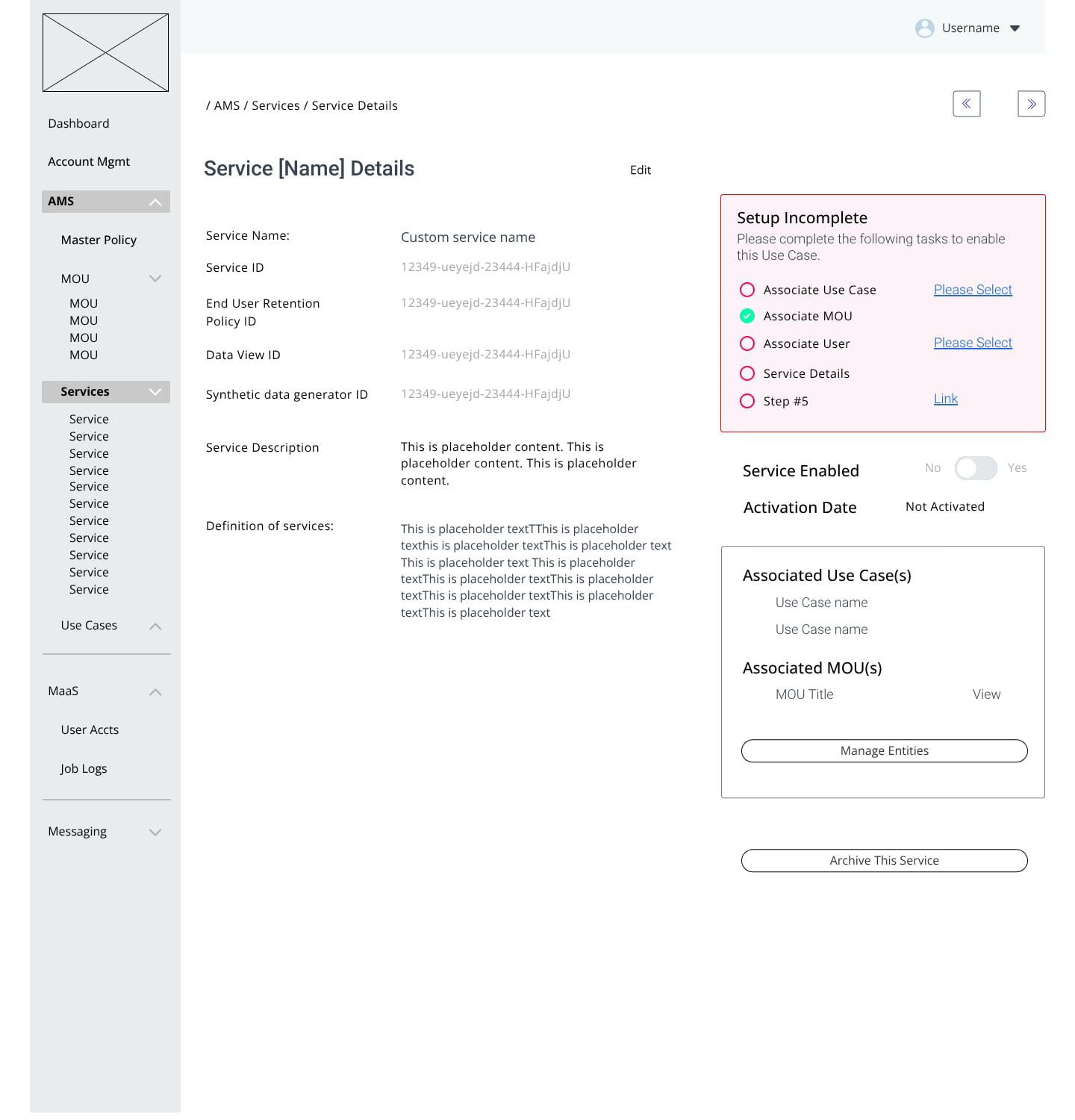
To address these, I devised a mechanism requiring admins to complete all required fields at the time of object creation before its status could change from "draft" to "live." Once all required fields were filled and associations made, the setup status would automatically update and notify the admin that the object was ready for manual activation. This gave admins the flexibility to proof and approve completed objects before promoting them to live status.
Each object had specific requirements: For example, a service could not be promoted to live status unless associated with both a policy and a use case.
The concept paralleled a standard checkbox-style administration page, where an admin can grant granular access to specific site features. The key difference was embedding this process directly into the UX rather than relegating it to a master settings page — though one could easily be added in a future iteration, since the necessary code would already be in place.
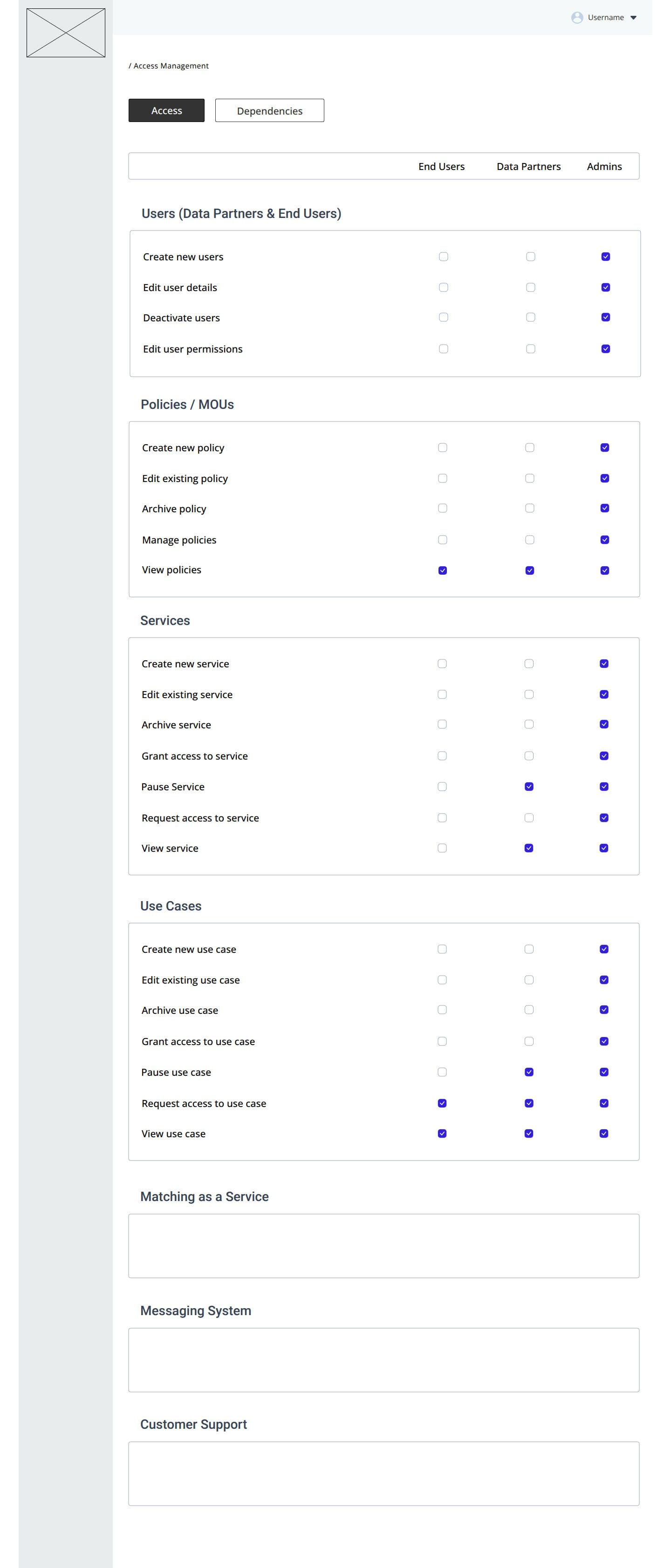
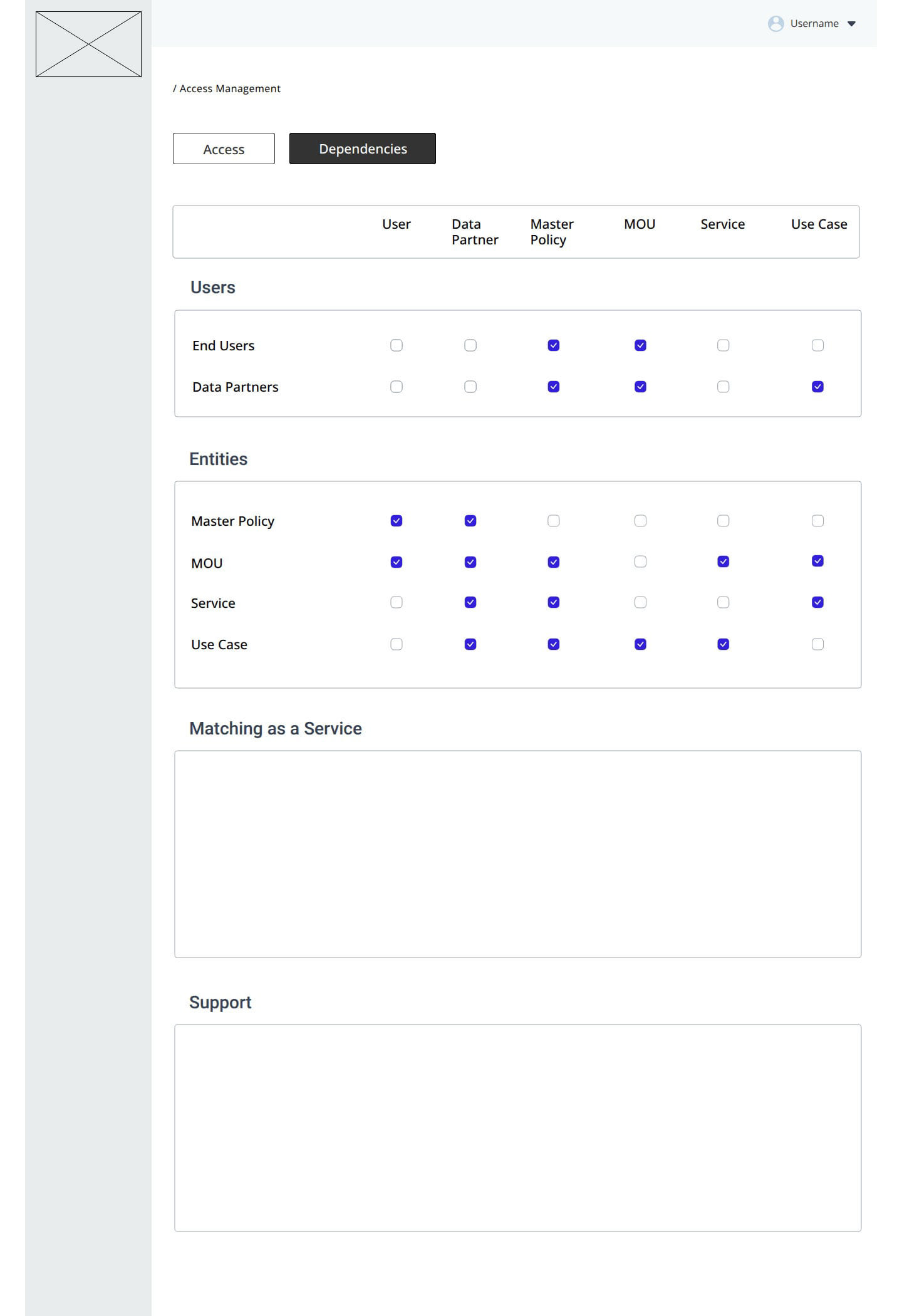
Above: Images describe permissions and dependencies per user group—This is the backbone of the system.
A standard nested navigation would quickly become unwieldy, and a mega-menu would have been confusing — objects were independent entities that could be associated with any other object in the system. This led me to treat object creation and object association as distinct processes: creation is static, while associations are dynamic and can be updated at any point before or after a product is assembled.
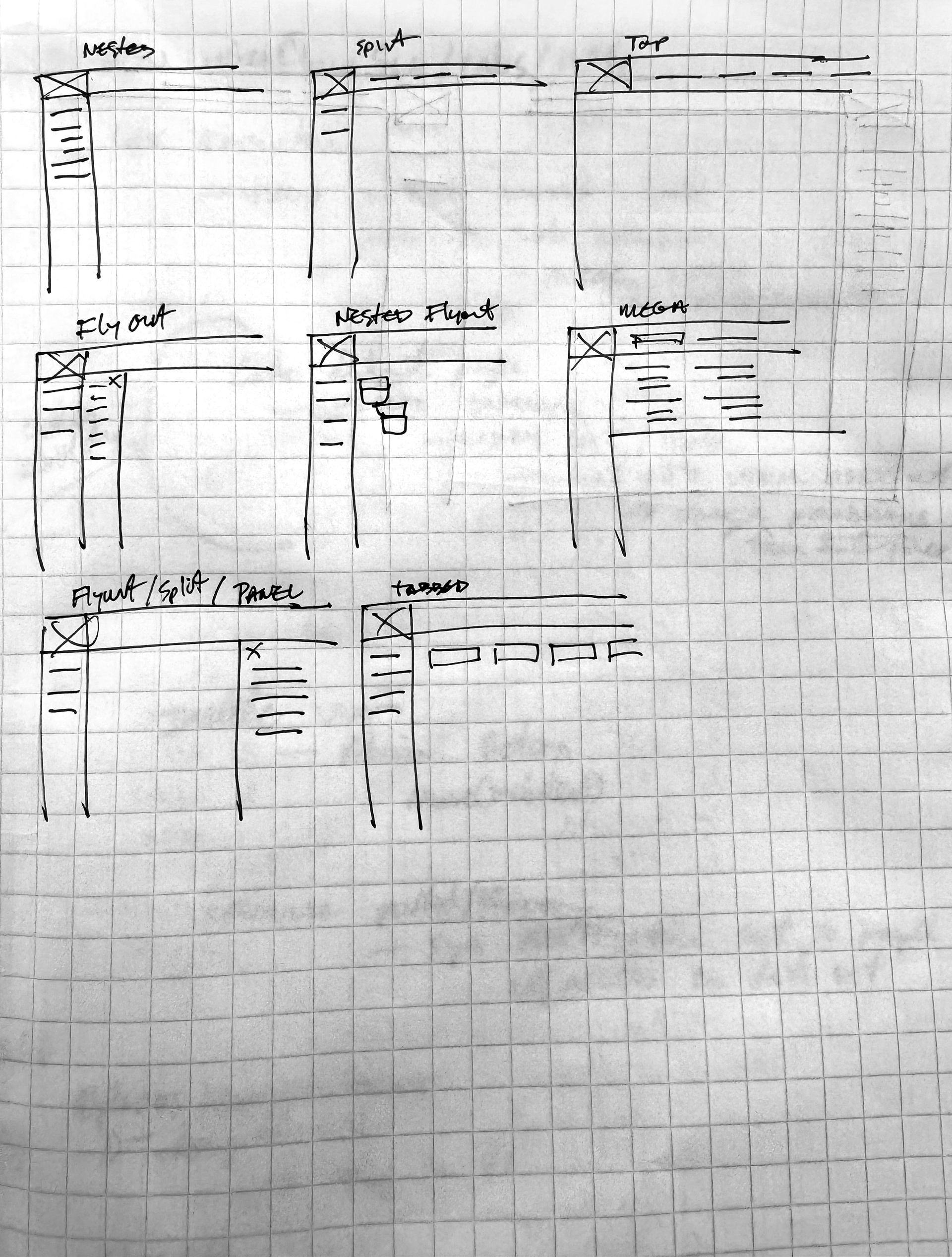
Navigation - Options Scribbles
Navigation - Nested
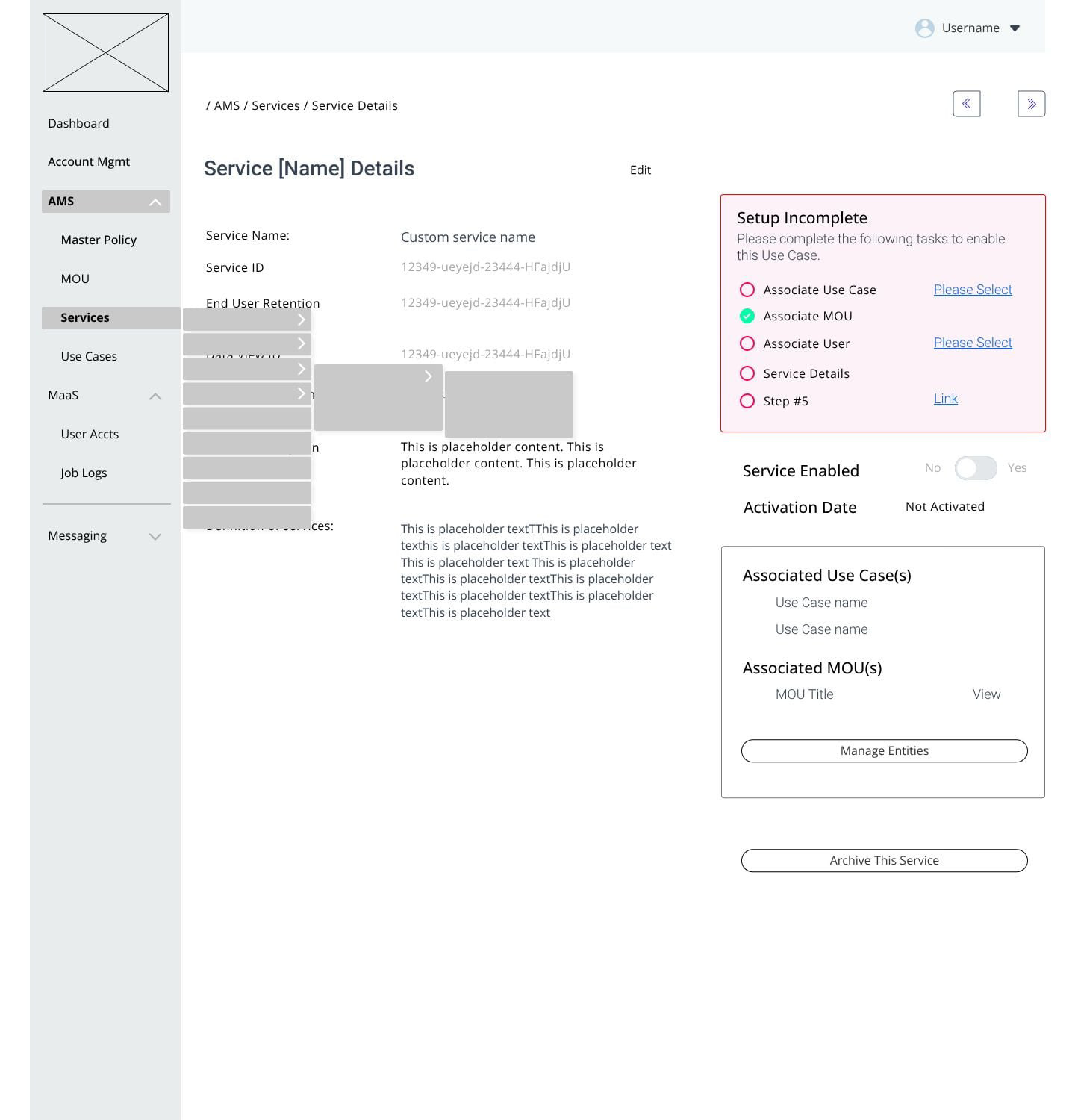
Navigation - Nested Drop Downs
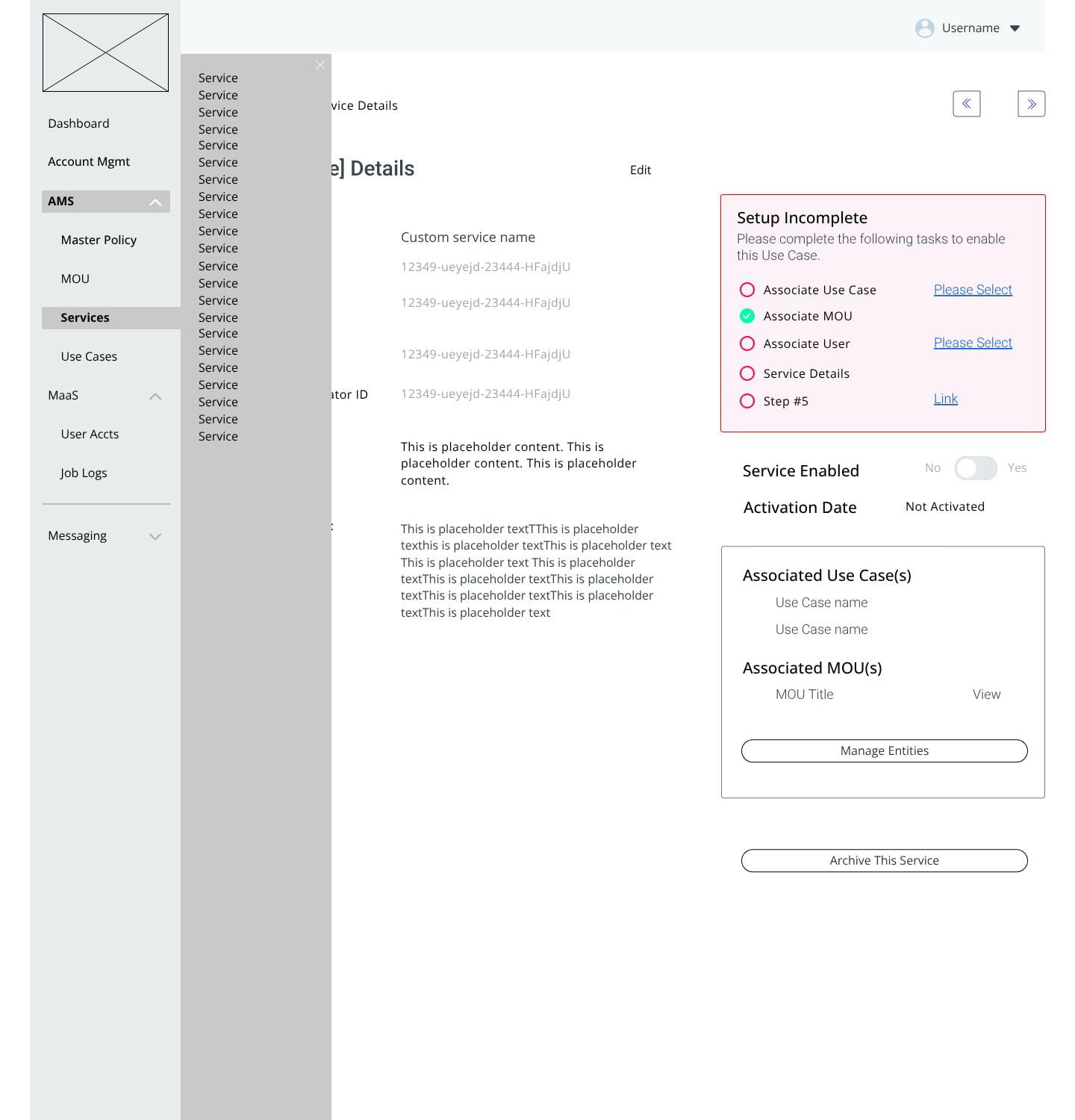
Navigation - Flyout Menu
Above: Navigation exploration
The AMS panel is the key to the entire system. Once an object is activated, it can be associated with other objects, shared, or deactivated. These one-to-many associations form the services that end users select — users never interact with individual objects, only the packaged services.
This approach simplified navigation, eliminated the need for a tabbed content structure, and reduced clutter by displaying an object's associations directly on its details page (see below).
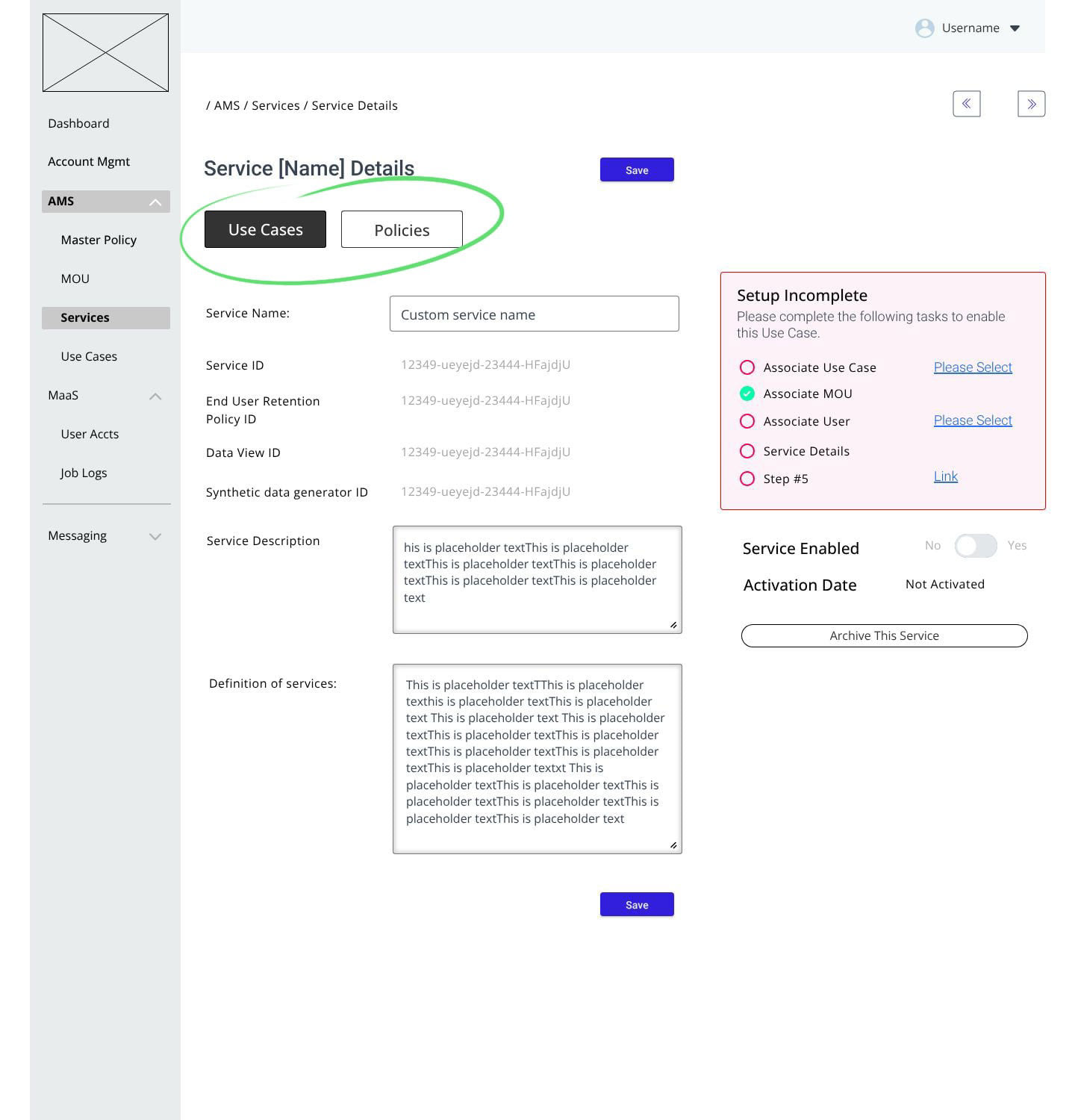
Tabbed approach - Object associations
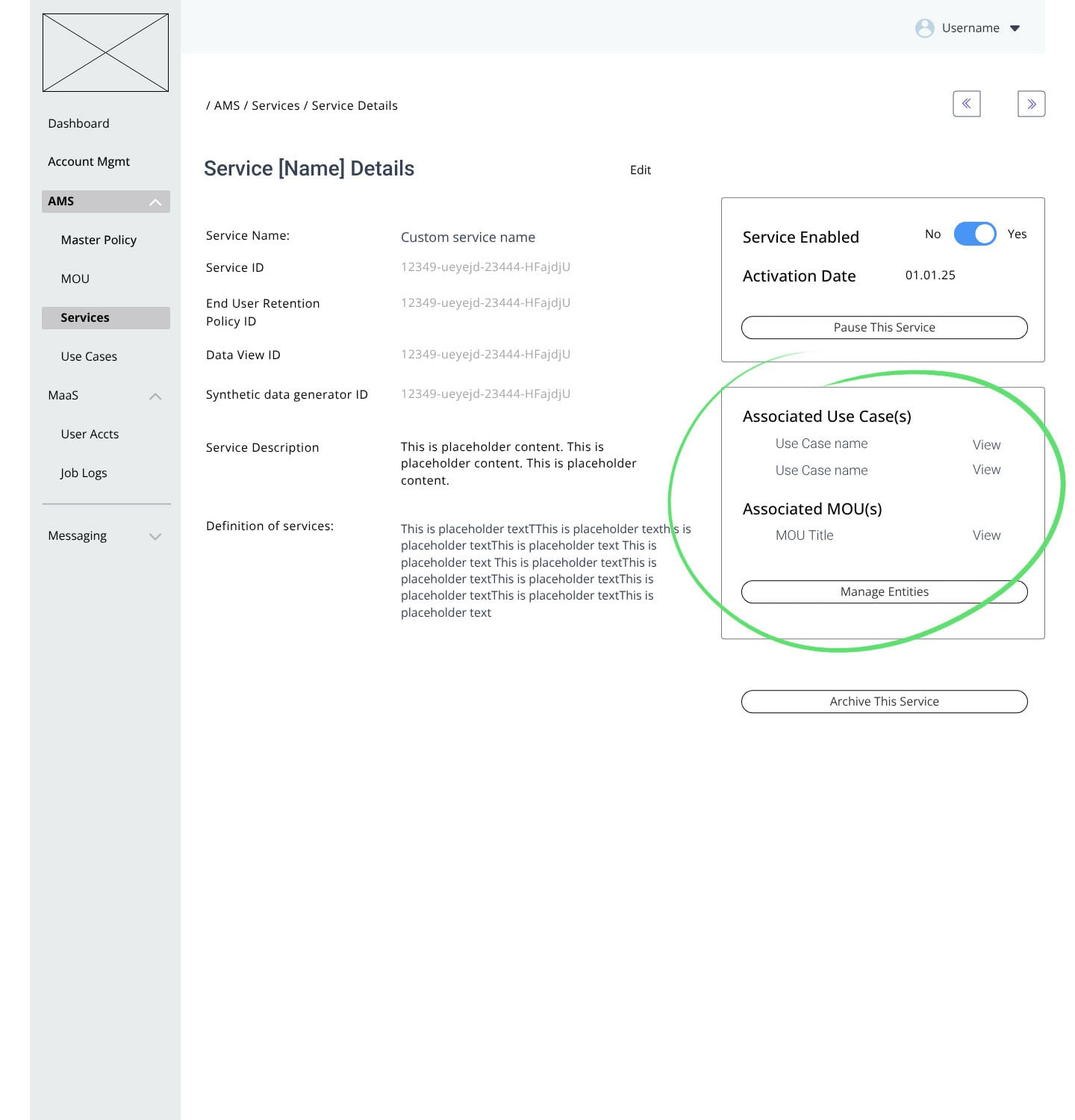
Panel approach - Object associations
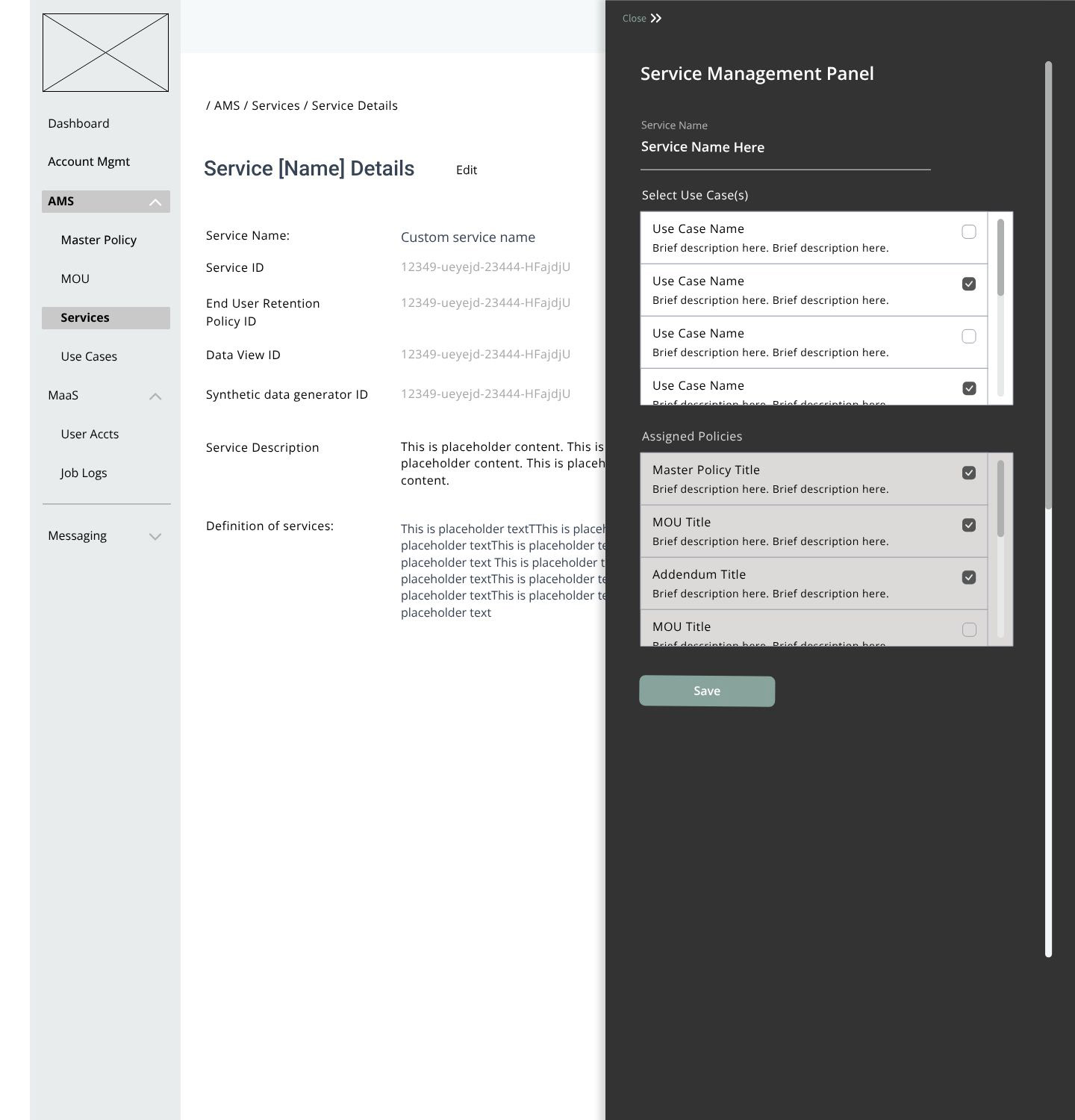
Panel approach - Object associations: AMS Panel
The flyout panel streamlined the associations process and cleanly separated object management from associations management.
A deliberate setup step was necessary to prevent objects from becoming immediately available upon creation. This step serves two purposes: it provides both an edit phase and an approval phase. When an object is created, the system automatically generates a set of IDs that link backend processes with data — but the object itself is just a descriptive container. To make it human-readable and searchable, an admin must fill in additional fields.
This setup process holds the object in draft, giving admins a chance to verify that all required elements are complete before manually activating it and promoting it to live status.
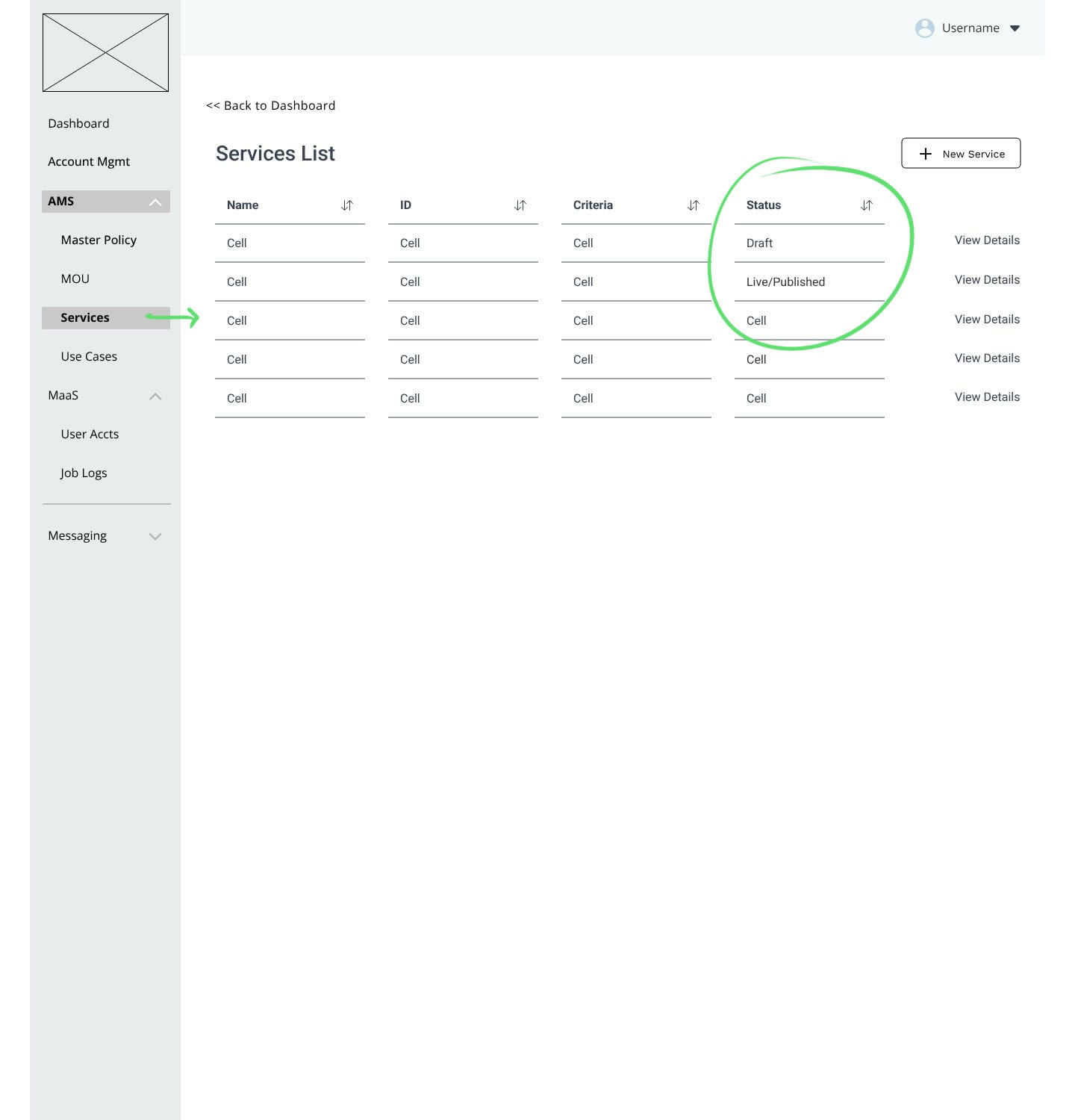
Low Fidelity: Object: List view
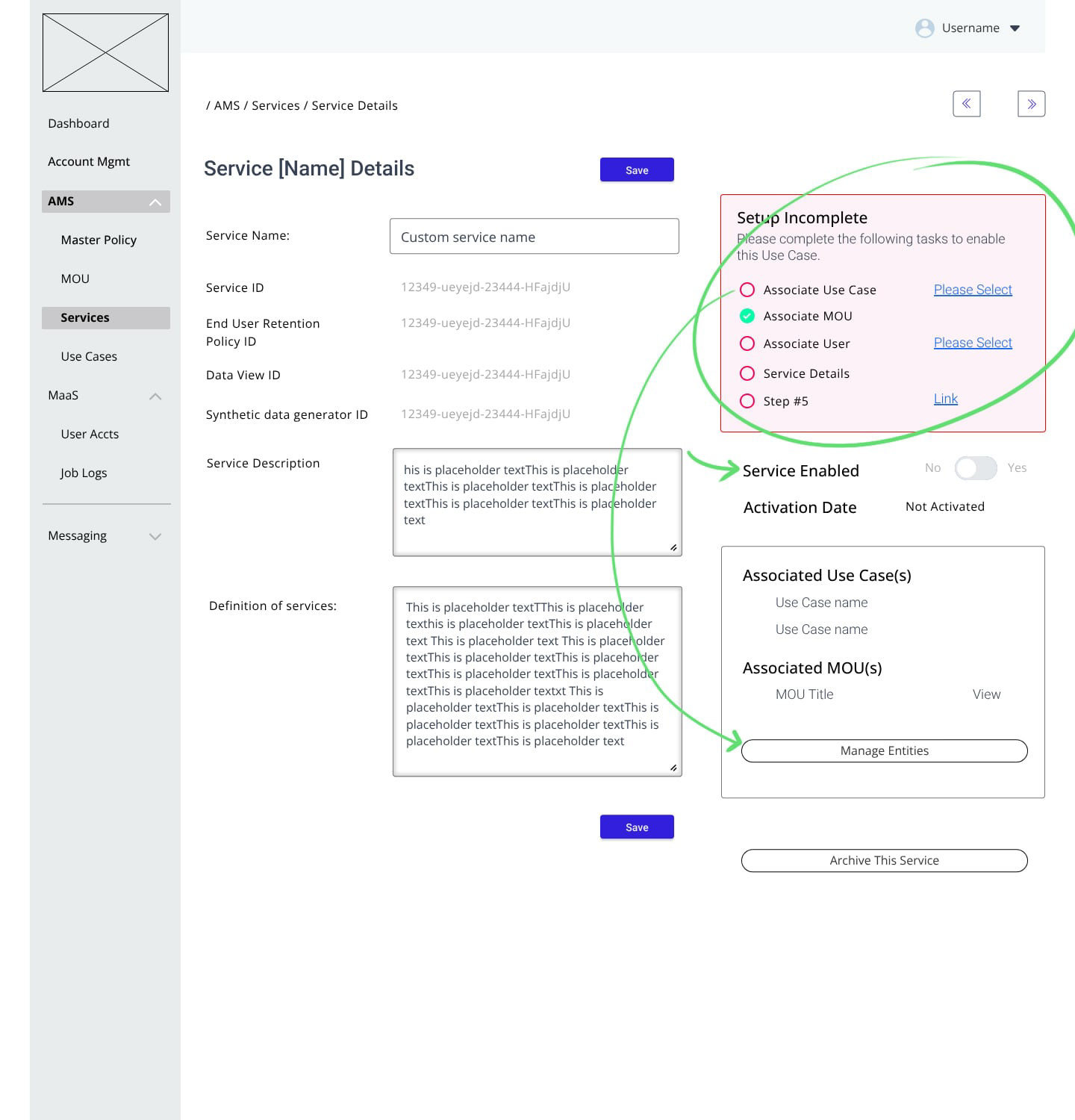
Low Fidelity: Object status: Incomplete
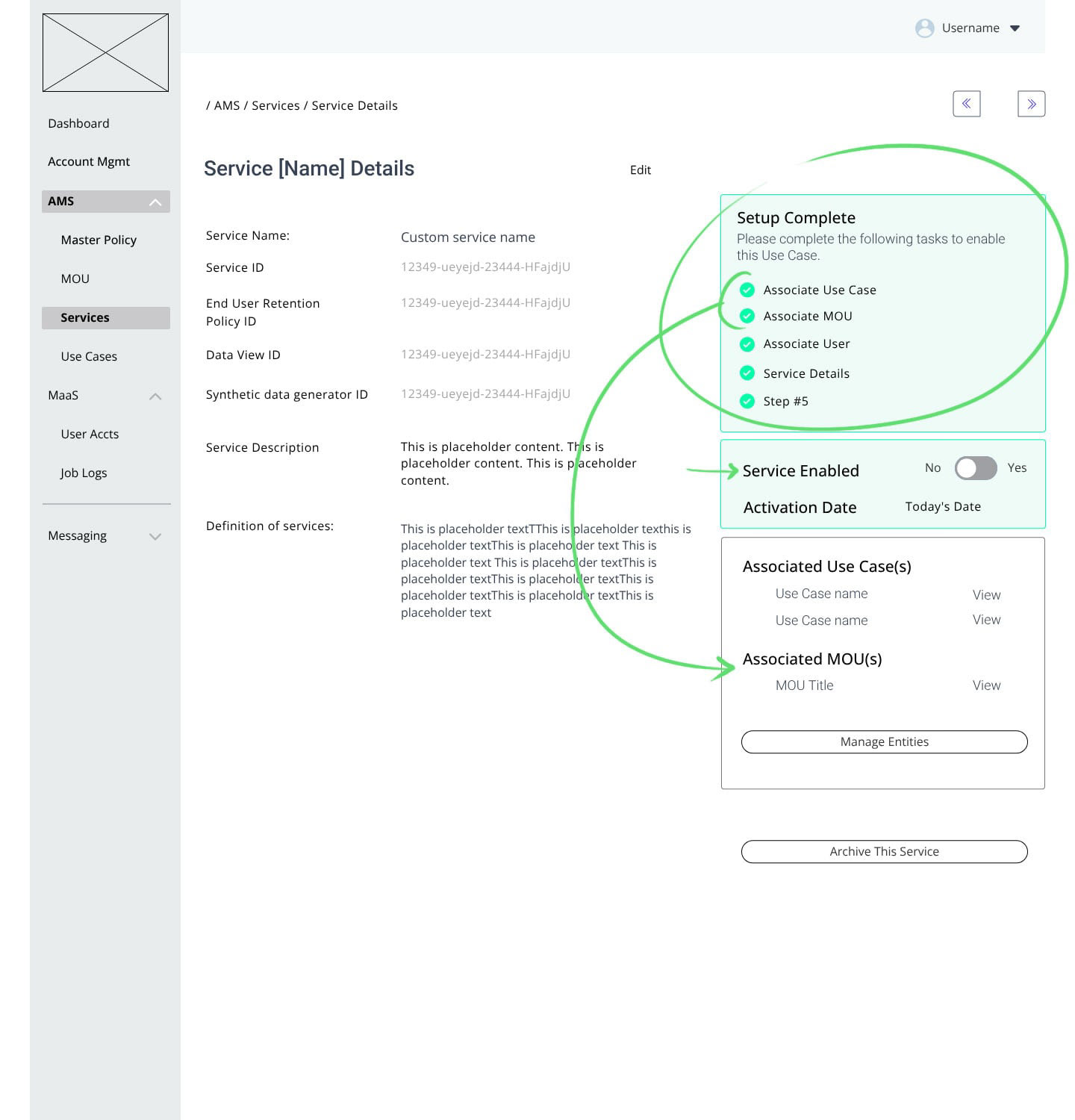
Low Fidelity: Object status: Complete, Not enabled
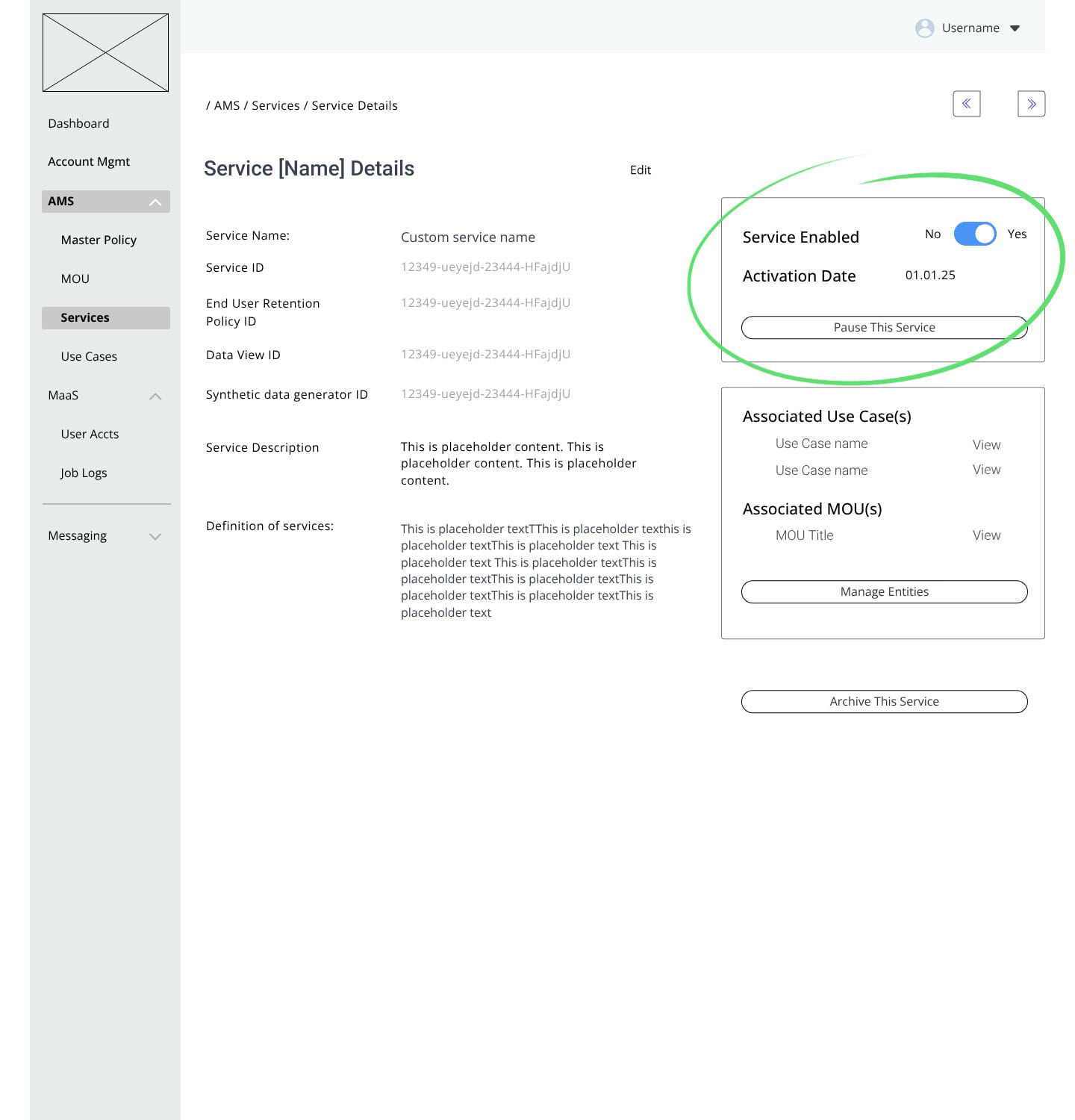
Low Fidelity: Object status: Complete, enabled
Above: Low fidelity design samples.
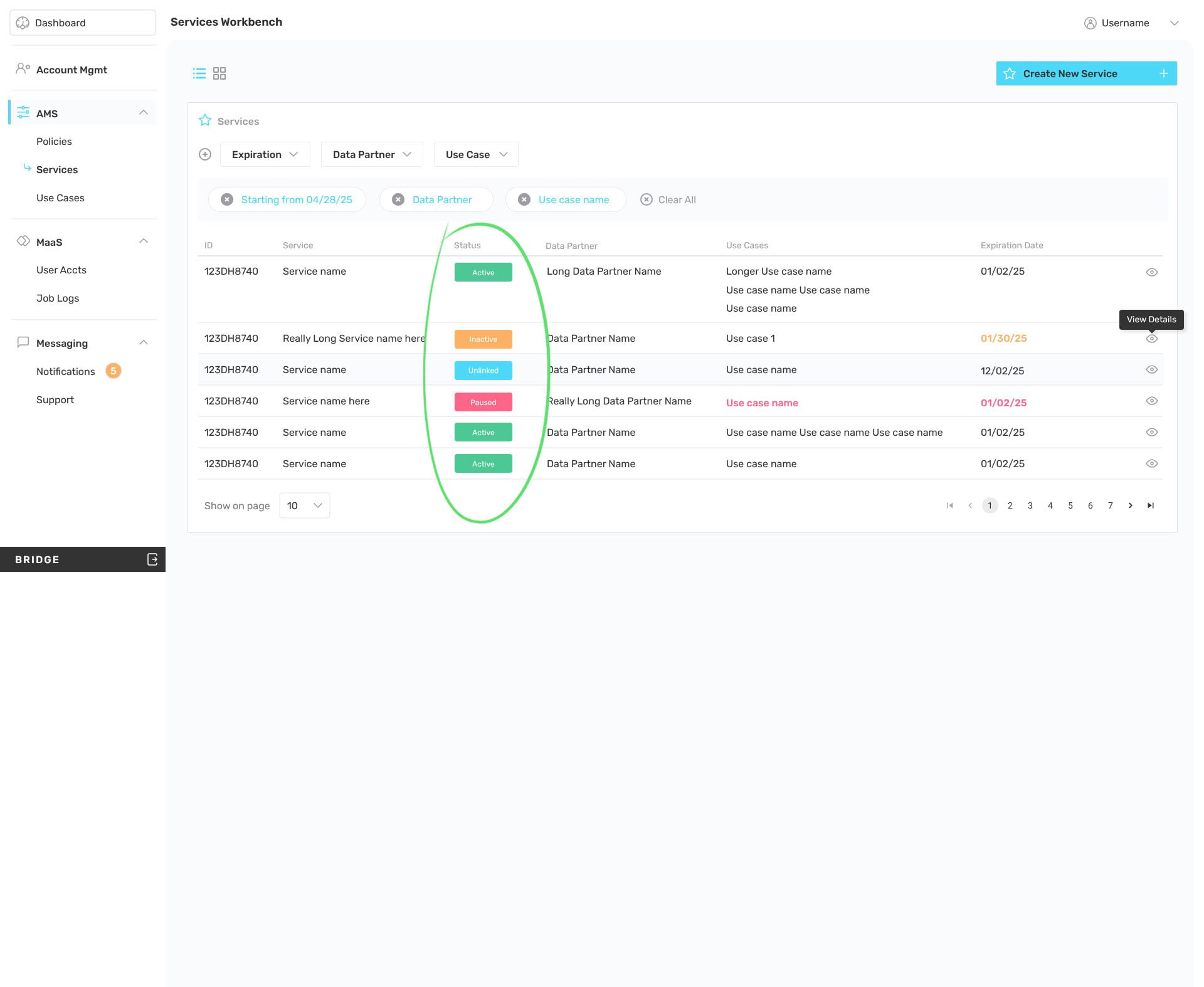
High Fidelity: List, Status
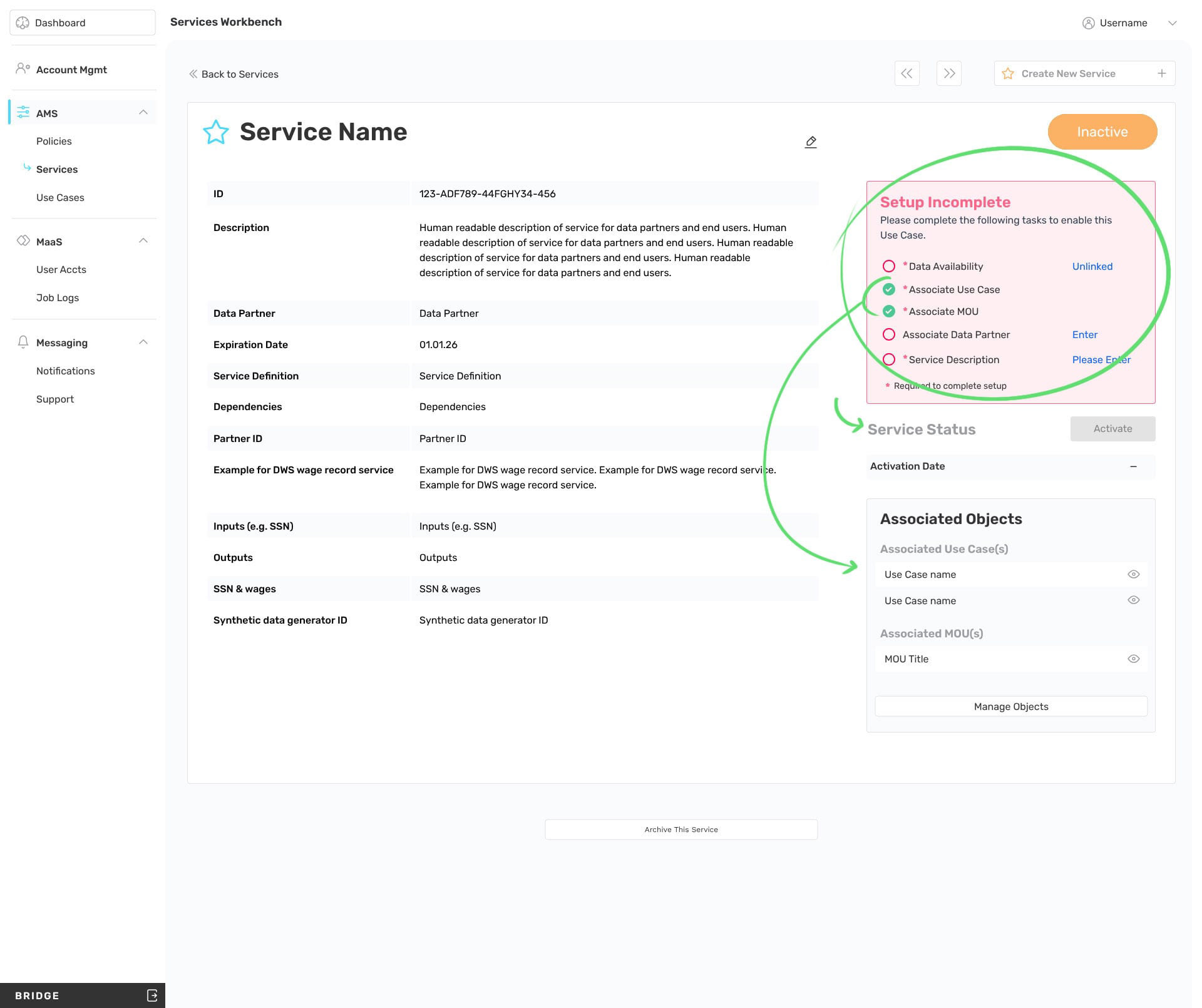
High Fidelity: Object detail, incomplete
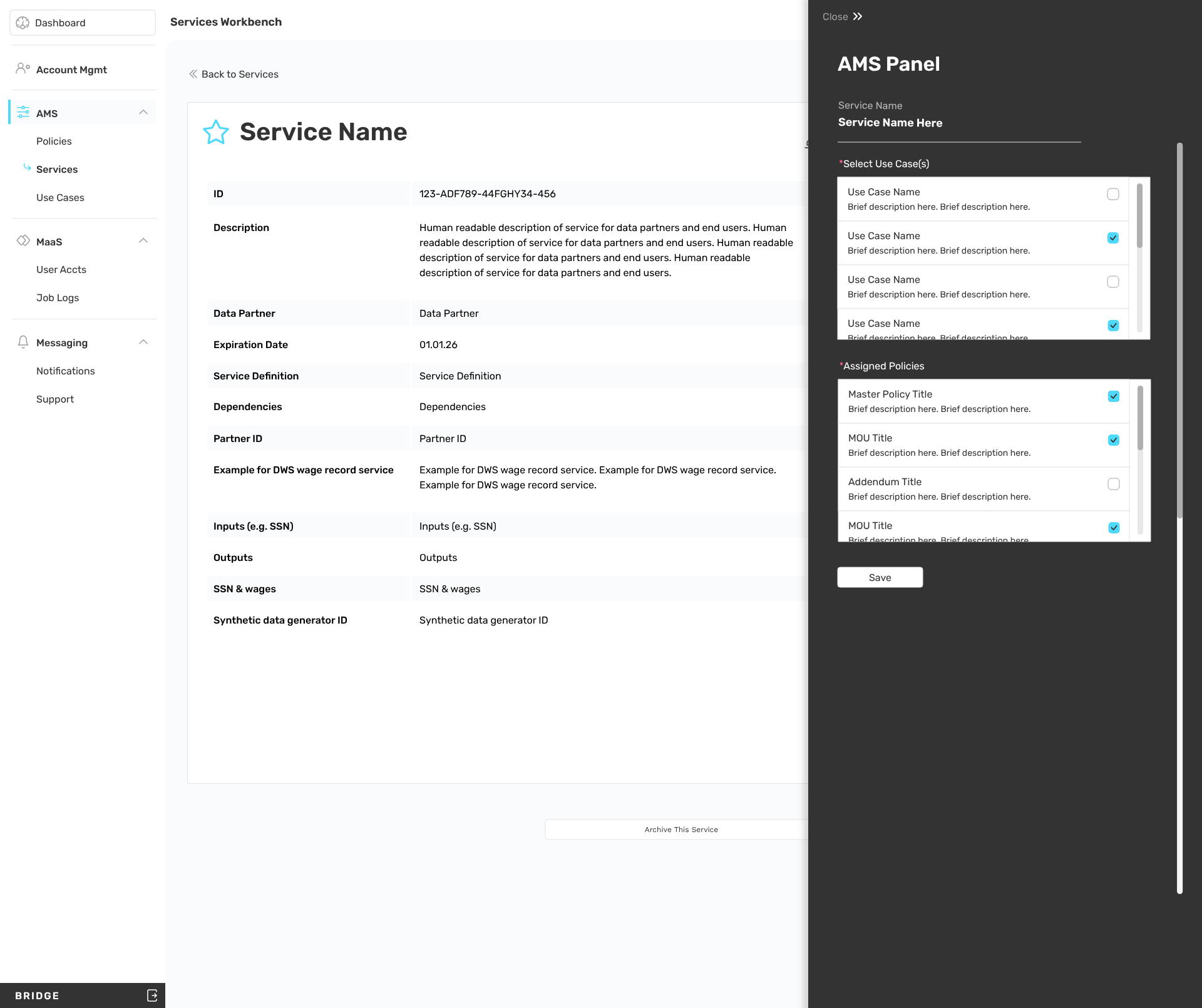
High Fidelity: Object detail, Associations panel
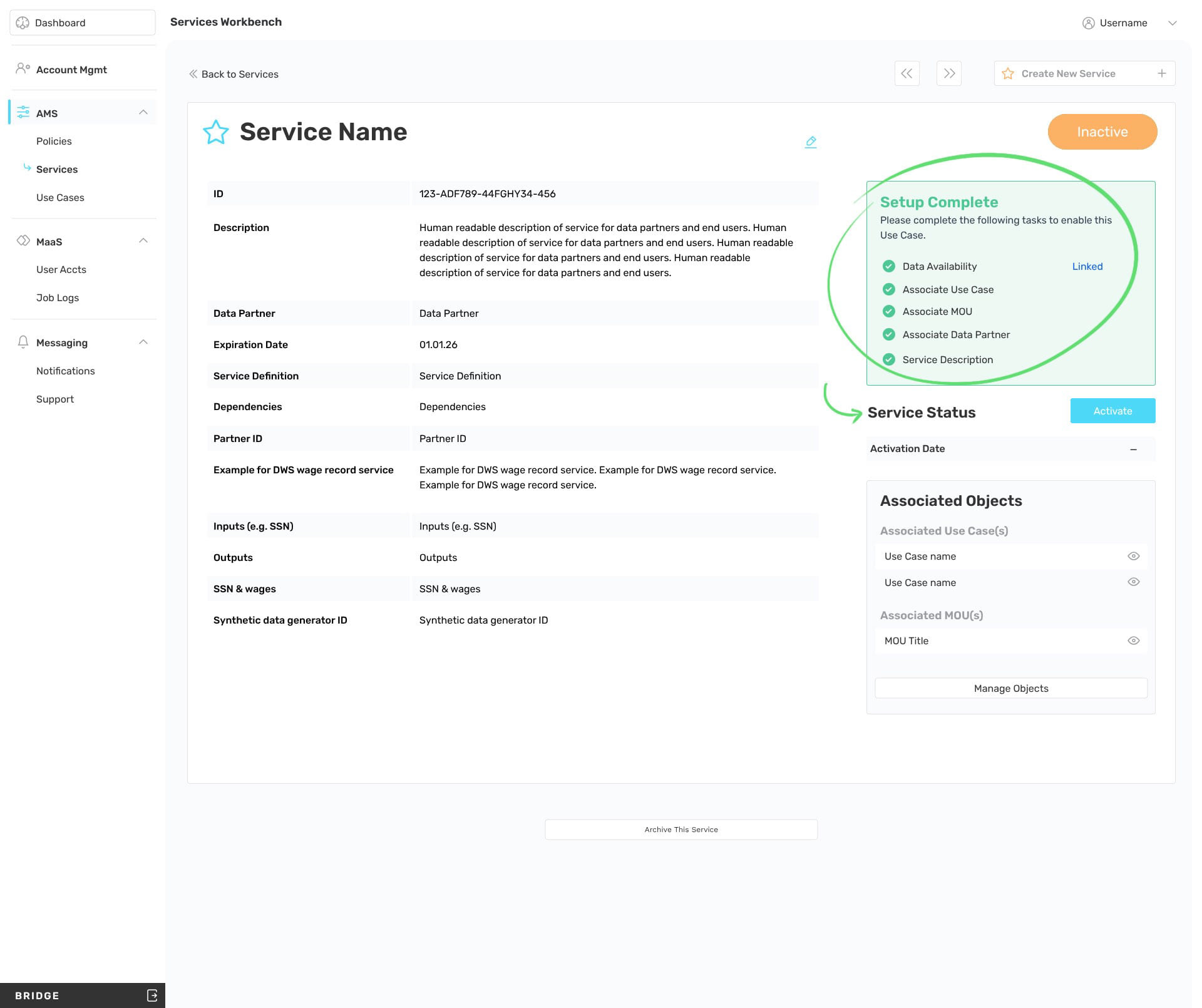
High Fidelity: Object detail, complete, ready to enable
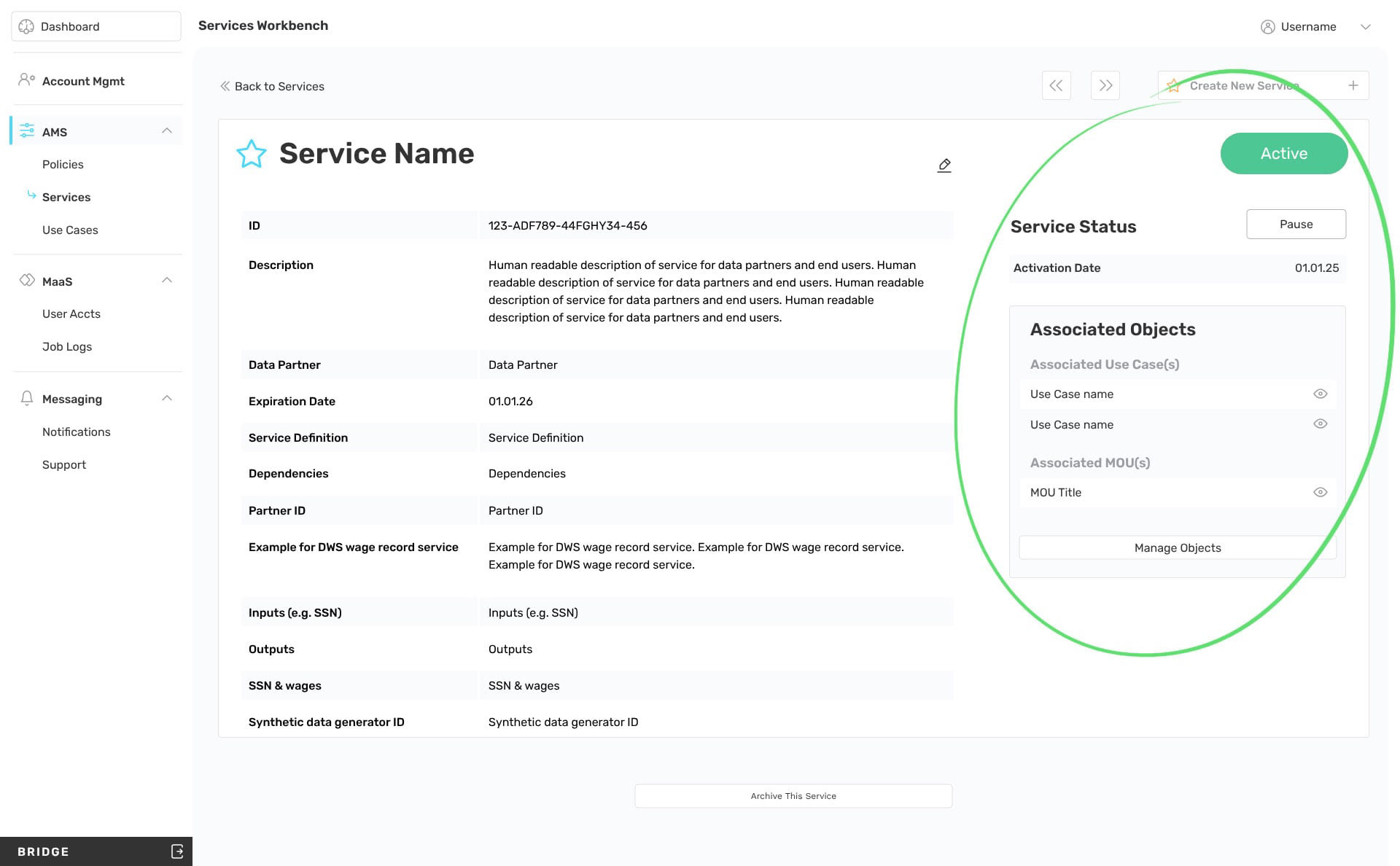
High Fidelity: Object detail, Enabled
Above: High fidelity design samples.
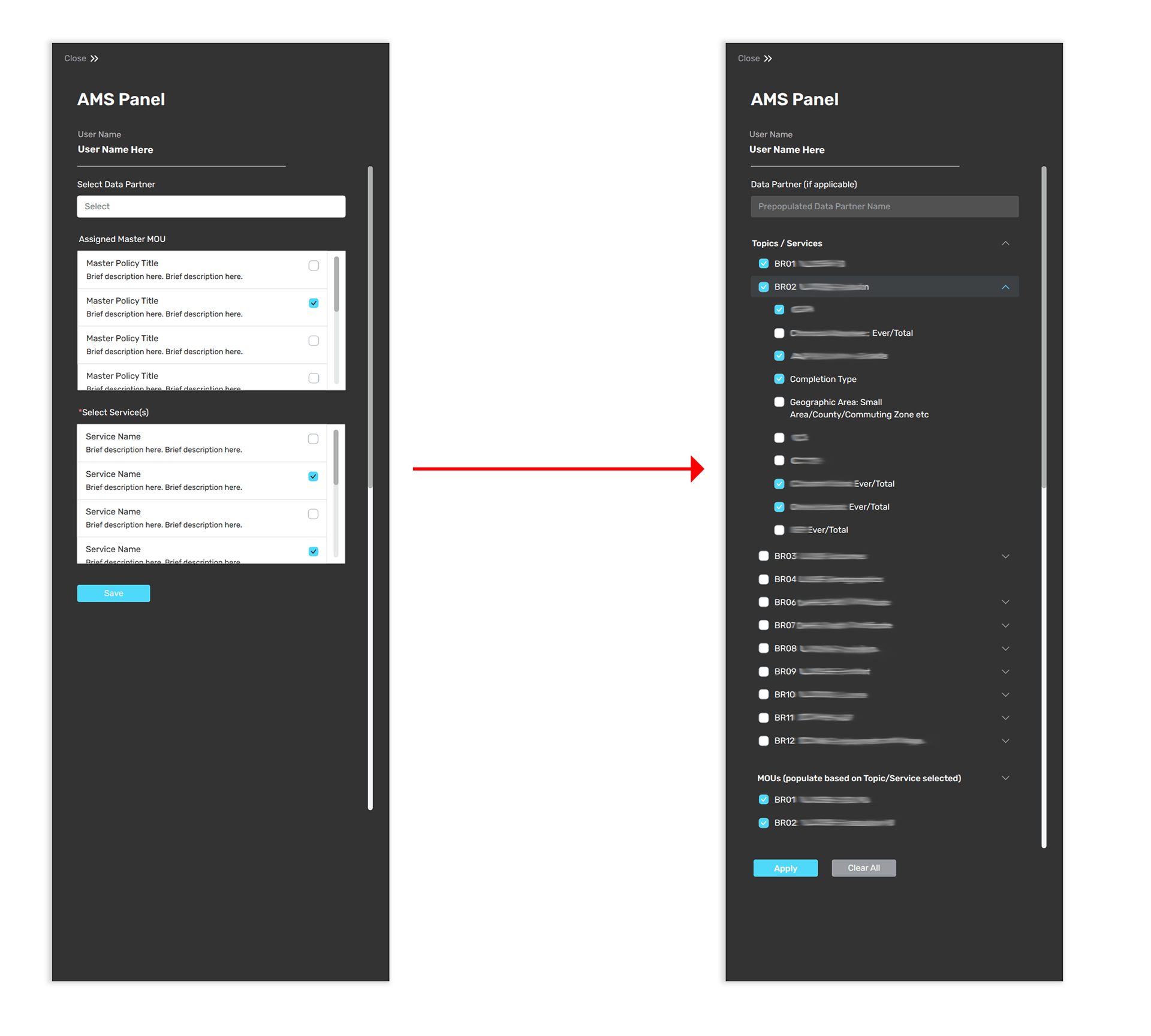
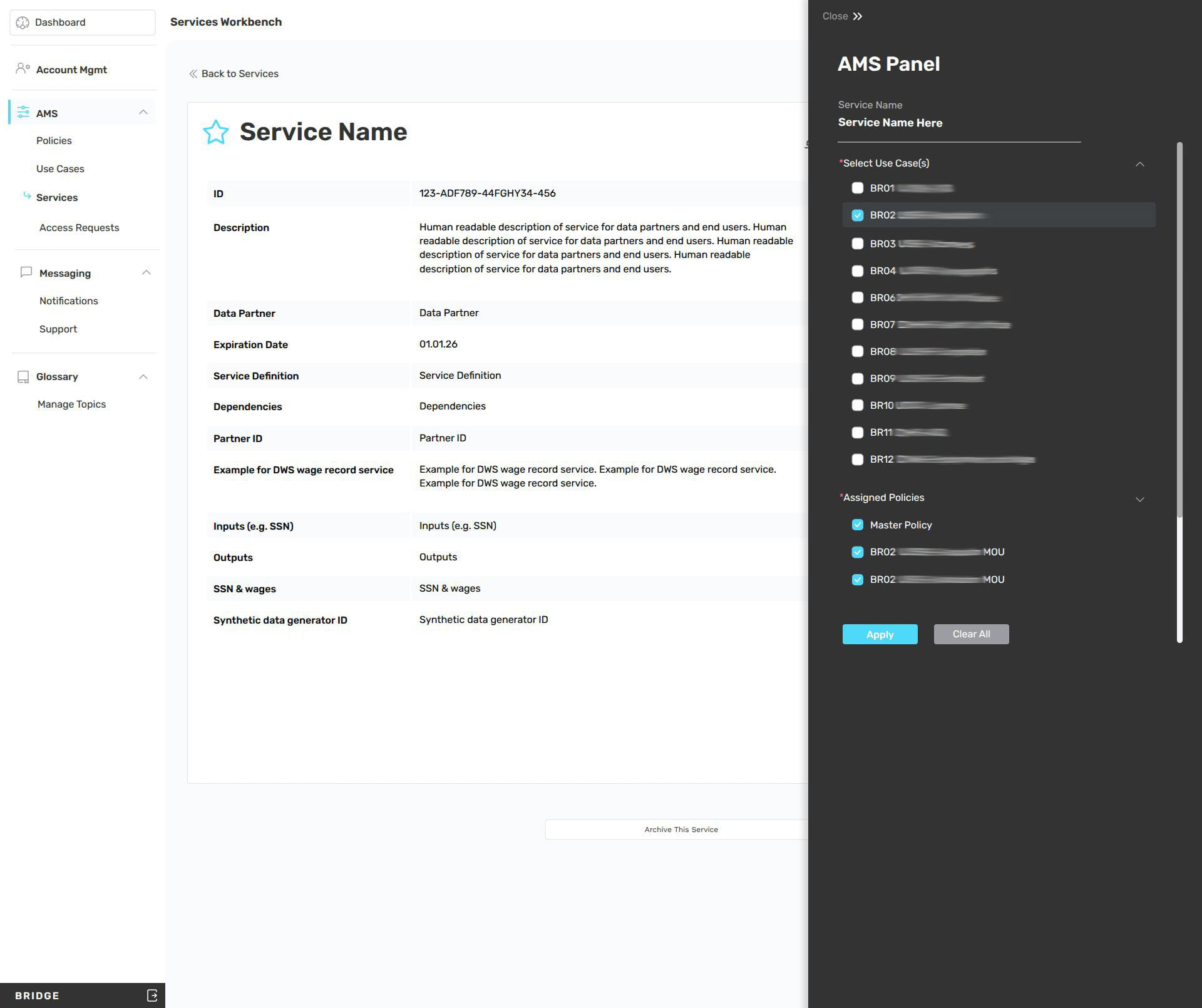
Above: Improving the association panel display.
Outcome
The resulting system gave admins precise control over object creation, configuration, and activation while keeping the interface manageable at scale. The draft-to-live workflow reduced the risk of incomplete or misconfigured objects reaching end users, and the clear separation between object management and associations management made the system intuitive to navigate despite its underlying complexity.